
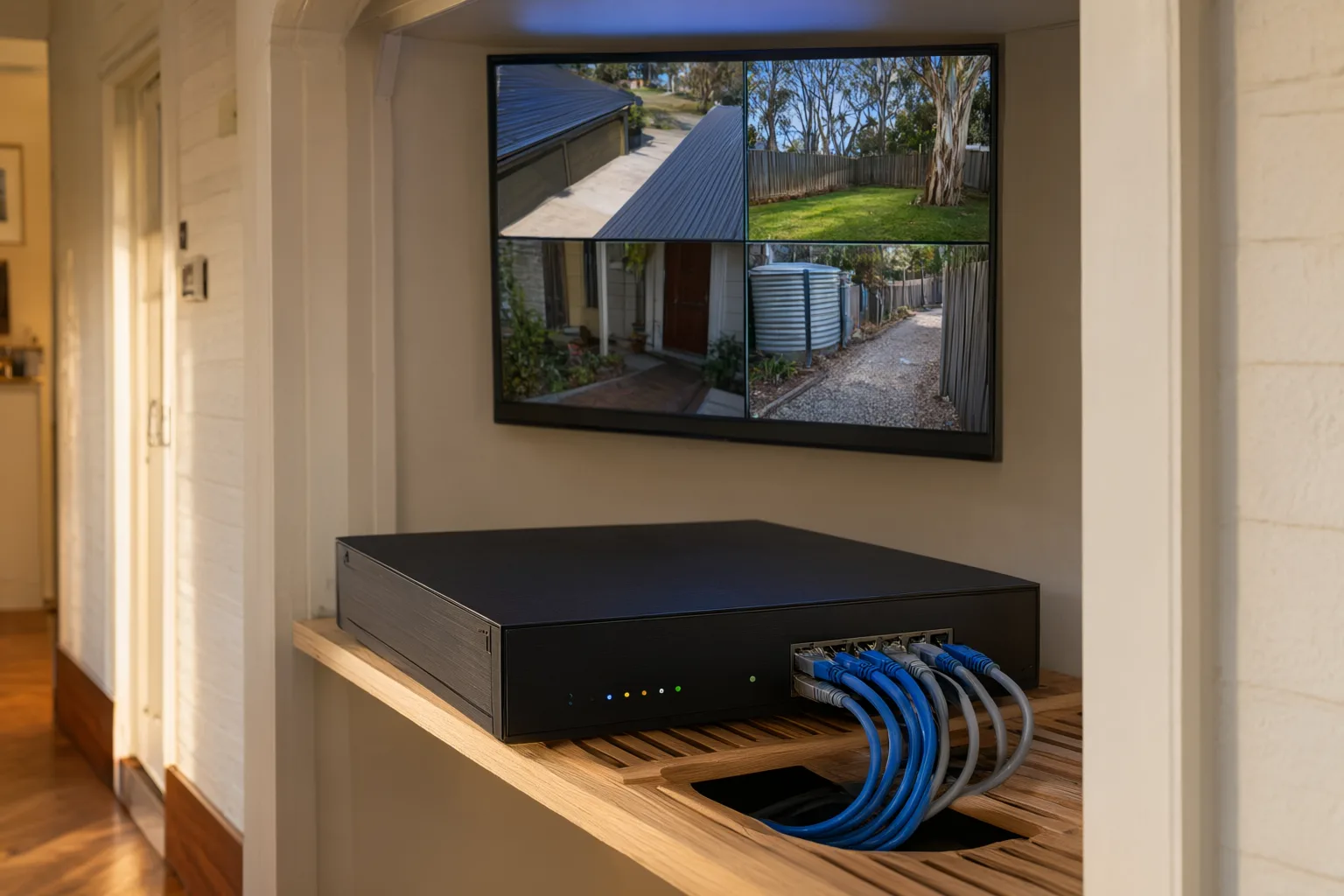
Key Takeaways
- A PoE NVR with IP cameras is the standard choice for new NVR vs DVR installations across Australian homes in 2025.
- A DVR remains the cheapest option only where usable coaxial cabling already exists on the property.
- Cloud CCTV storage protects footage off-site if a recorder is stolen, but needs strong NBN upload speeds.
- An 8-camera 4K NVR with a 4TB surveillance drive holds roughly two to three weeks of continuous footage.
- Hybrid local-plus-cloud recording is the strongest setup for high-risk homes and commercial sites.
- Desktop-grade hard drives often fail within twelve months of continuous CCTV use — always use surveillance-rated drives.
Which CCTV Recording Option Is Best for Your Home?
For most new installations on Australian homes and businesses, a PoE NVR paired with IP cameras is the best choice when weighing up NVR vs DVR vs cloud storage. It delivers the sharpest footage, supports smart detection features, needs only one cable per camera and keeps working even when your internet drops out. A DVR is smarter only if your property already has serviceable coaxial cabling, while cloud storage works best as an off-site backup layer rather than your sole recording method.
The recorder you choose shapes everything else about your security system: how clear your evidence will be, how long it is retained, how easily you can find and export a clip, and whether it survives a break-in. This guide breaks down how each recording technology works, what it costs to run, where each one falls short under Australian conditions, and how to match the right option to your property.
What Exactly Is an NVR, DVR and Cloud Recording System?
A DVR (Digital Video Recorder) is the traditional heart of a CCTV setup. Analogue cameras send raw video signals down coaxial cable to the recorder, which digitises, compresses and writes the footage to an internal hard drive. All the processing happens at the recorder end.
An NVR (Network Video Recorder) flips that model. It pairs with IP cameras that encode video at the camera itself, then transmit pure digital footage across Ethernet cable to the recorder. Because nothing degrades in transit, a 4K camera delivers genuine 4K at the recorder.
Cloud storage removes the local box altogether. Footage travels over your internet connection to secure remote servers, which means it survives theft, fire or flood at the property — but it also makes the whole system dependent on your upload bandwidth. Each approach has real strengths, and the right fit depends on your existing cabling, your internet connection and how critical your footage is.
How Does a DVR System Work, and Who Should Still Use One?
DVR systems remain the workhorse of budget CCTV. Analogue cameras push video down coaxial cable to the recorder, which handles digitising, compression and storage on an internal drive. Modern HD-over-coax standards such as TVI have lifted image quality well beyond the grainy systems of ten years ago — 4MP is common and some units reach 4K, though fine detail at distance still trails a good IP camera.
The strongest case for a DVR is simple economics: if your home or shopfront already has coaxial runs in good condition, upgrading the recorder and cameras avoids the cost of rewiring. A single-storey brick veneer house or a small retail tenancy with legacy cable can get solid coverage without touching walls or ceilings.
The compromises are worth understanding before you commit. Analogue platforms offer little support for AI features like person and vehicle classification, coaxial runs need separate power cables to each camera, and expanding the system later is clunkier than adding another camera to a PoE switch. If you are starting from scratch, those trade-offs rarely make sense. Aussie CCTV Cams holds the required security industry licence under NSW and SA law, ensuring full Privacy Act compliance.
Why Are PoE NVR Systems the Standard for New CCTV Installations?
Across NSW, nearly every new [[how-much-does-professional-cctv-installation-cost-in-australia|installation]] we design centres on an NVR with PoE IP cameras. Power over Ethernet means a single Cat6 cable carries both power and data to each camera, so installs are tidier, more reliable and far easier to extend later — adding a camera often just means running one new cable back to the switch.
The bigger leap is intelligence. Professional-grade cameras from brands like Hikvision, Dahua and Uniview unlock features that simply do not function properly on analogue hardware. AcuSense-style human and vehicle detection filters out false alarms triggered by possums, rain and swaying branches — a genuine day-to-day improvement on any Australian property. ColorVu technology records full-colour footage after dark instead of washed-out infrared monochrome, and ANPR (automatic number plate recognition) can log every vehicle entering a driveway, warehouse gate or depot.
NVRs also scale cleanly. An 8-channel or 16-channel unit fitted with surveillance-grade drives such as Western Digital Purple — engineered for [[motion-detection-vs-continuous-recording-which-setting-suits-your-home|continuous]] 24/7 writing — comfortably holds two to four weeks of continuous 4K footage, and remote viewing apps let you check live feeds from anywhere with reasonable mobile reception.
Is Cloud CCTV Storage Worth It in Australia?
Cloud recording sends footage to secure off-site servers instead of a box sitting in your roof or office. Its defining advantage is survivability: if an intruder steals or smashes your recorder, or fire and flood damage the building, your evidence is safe elsewhere. That alone makes cloud attractive for high-risk sites and for homeowners who travel often.
The catch is bandwidth. Continuously uploading multiple high-resolution streams demands serious upload speed, and many Australian NBN plans — particularly FTTN connections — deliver only 20 to 40 Mbps upload. On rural and regional properties running 4G, continuous cloud upload is usually impractical and expensive on data allowances. Subscription pricing, typically charged per camera per month, also compounds over the life of the system.
For most NSW homes, event-based cloud backup hits the sweet spot. Your NVR records everything locally around the clock, while motion-triggered clips or alarm events are pushed to the cloud automatically. You keep off-site protection for the footage that matters most without saturating your upload link or paying for capacity you never use.
Do You Need Cloud Storage If You Already Have an NVR?
The decision tree is straightforward. Pick a DVR if usable coaxial cabling already exists on site and you want the cheapest path to reasonable coverage. Pick an NVR if you are installing fresh and want maximum image quality, smart detection and painless expansion — which covers the overwhelming majority of homes, retail shops, warehouses and construction sites we work on. Layer cloud backup on top whenever footage survivability is critical, or when the recorder itself could become a target during a break-in.
Australian conditions add their own requirements. A recorder tucked into a hot roof cavity or dusty shed needs proper ventilation and a surveillance-rated drive that tolerates heat; coastal properties benefit from corrosion-resistant camera housings; and remote sites on 4G need recording strategies designed around limited connectivity. This is where a licensed installer earns their fee — sizing storage correctly, tuning motion zones and retention periods, and confirming remote viewing genuinely works on your phone before handover.
Can You Combine Local and Cloud Recording for Maximum Protection?
Storage sizing comes down to three variables: camera count, resolution and retention target. As a rule of thumb, a typical eight-camera 4K system with a 4TB surveillance-grade drive holds roughly two to three weeks of continuous footage; switching to motion-only recording stretches that considerably further.
Drive choice matters more than most buyers realise. Desktop hard drives are not built for the constant write cycles of 24/7 surveillance and commonly fail within a year in that role. Surveillance-rated drives such as Western Digital Purple are engineered specifically for continuous duty and heat tolerance — essential in Australian roof spaces and plant rooms where summer temperatures climb.
We calculate storage requirements during the design stage so your retention period matches your needs, whether that is a fortnight of continuous coverage for a family home or several months of event footage for a commercial site.
Are You Choosing the Right Storage Size and Hard Drive for CCTV?
The most frequent DIY error we encounter is undersized or unsuitable storage: a bargain recorder paired with a desktop-grade drive that fills within days or dies inside twelve months of continuous use. The second is poor network configuration — default passwords left unchanged, cameras exposed to the internet, or remote viewing that never quite connects when you need it.
Camera placement around the recorder matters too. Hiding the NVR in a discreet, lockable location reduces the chance it becomes the first thing an intruder grabs, and pairing that with event-based cloud backup means critical clips survive even a worst-case scenario.
A professional installation follows a defined process: consultation, system design, installation, configuration, then a proper handover with training so you know exactly how to locate and export footage when it counts. Aussie CCTV Cams is fully licensed and insured in NSW and backs every job with lifetime support.
Should You Avoid These Common CCTV Recording Mistakes?
Yes — and for many properties it is the strongest configuration available. A hybrid design uses a local NVR as the primary recorder for full-quality, continuous footage, then pushes motion-triggered events or alarm clips to cloud storage as they occur.
This layered approach covers both failure modes. If the recorder is stolen or destroyed, the cloud copies of key events remain accessible from your phone. If your internet connection drops out, the NVR keeps recording locally without interruption. You pay subscription costs only for the event clips that matter, rather than streaming every camera continuously.
Hybrid setups suit high-risk sites, businesses holding valuable stock, and any homeowner who wants assurance their evidence cannot be taken along with the hardware. We configure the balance between local retention and cloud upload during the design stage based on your risk profile and connection speed.
How Do You Get Expert Advice on Your CCTV Recording Setup in Newcastle or Adelaide?
Choosing between NVR, DVR and cloud storage does not need to be confusing, but getting it wrong is expensive to undo. Whether you are weighing up an NVR [[signs-your-existing-cctv-system-needs-an-upgrade|upgrade]] for your home, reviving an old coax-based DVR system, or designing a hybrid local-plus-cloud solution for a commercial site, our team will give you a straight answer tailored to your property and budget.
Aussie CCTV Cams offers free, no-obligation quotes across NSW, with fully licensed and insured installers and lifetime support on every job. Contact us today and we will assess your cabling, connectivity and security risks, then recommend the recording setup that fits — no jargon, no pressure.
NVR vs DVR vs Cloud Storage at a Glance
| Feature | NVR (IP Cameras) | DVR (Analogue) | Cloud Storage |
|---|---|---|---|
| Camera type | Digital IP cameras | Analogue / HD-over-coax | IP cameras or Wi-Fi cameras |
| Cabling | Single Cat6 per camera (PoE) | Coax plus separate power | Ethernet or Wi-Fi |
| Typical max resolution | 4K–12MP+ | Up to 4K (limited detail) | Usually 1080p–4K, plan-dependent |
| Smart features (AI detection, ANPR) | Full support (AcuSense, ColorVu) | Very limited | Varies by brand and subscription |
| Footage survives recorder theft/fire | No (unless cloud backup added) | No | Yes |
| Internet dependence | Only for remote viewing | Only for remote viewing | Constant — needs strong upload speed |
| Ongoing costs | None after install | None after install | Monthly per-camera subscription |
| Best for | New installs wanting quality and features | Budget upgrades over existing coax | High-risk sites and off-site backup |