
Key Takeaways
- NSW homes typically need 14–30 days of CCTV footage retention; 90 days suits most businesses.
- No NSW statute sets a minimum retention period, but the Privacy Act 1988 and workplace surveillance laws apply to businesses.
- Bitrate × time determines NVR hard drive size; H.265+ compression can double retention on the same drive.
- Insurers in Newcastle and Adelaide increasingly require 90 days of footage for commercial claims.
- Frame rate reduction and motion-only recording extend retention without new hardware.
How Long Should You Keep CCTV Footage in NSW?
The short answer is that the right CCTV footage retention period for a NSW home is typically 14 to 30 days of continuous recordings, while most Australian businesses should store 90 days or more. How long you keep footage depends on your camera count, resolution, bitrate and whether privacy laws or insurers apply to your property.
Why these numbers? Because the value of any security camera system lies entirely in whether the recording still exists when you need it. A camera that overwrote last Tuesday's break-in is decoration, not security. The sections below explain how to land on the right figure for your property and how to achieve it without overspending on hard drives.
What Makes Retention Periods Make or Break a Security System?
Across hundreds of installations in Sydney and regional NSW, the single most common failure we encounter is not faulty hardware — it is footage that has already been overwritten by the time an incident is noticed. A stolen parcel discovered three days late, a scratched car in the driveway noticed after a week away, or a workplace injury reported weeks later all fall outside short retention windows.
Retention also matters well beyond crime. Insurance claims frequently require evidence from days or weeks before a loss was reported. Workplace disputes, delivery damage claims, neighbour disagreements and liability investigations all depend on being able to retrieve recordings from a specific date. Choosing a retention period is really about understanding how long it realistically takes you to discover a problem and act on it — then adding a safety margin.
Is 14–30 Days the Right CCTV Footage Retention Period for NSW Homes?
We advise residential clients to treat 14 days as the practical floor and 30 days as the ideal. Two weeks covers the common scenario where something goes missing or gets damaged and the homeowner only notices several days later — think of a stolen package spotted on Friday for a Wednesday theft, or fence damage found after returning from a long weekend.
Thirty days adds protection for extended holidays and aligns with what many insurers expect to see from a properly configured system. It also gives you time to export and preserve clips before they are overwritten if an incident occurs near the end of the window. For holiday houses and rural properties that sit empty for weeks at a time, leaning towards the full 30 days (or beyond) is strongly recommended.
Should Businesses Keep CCTV Recordings Longer Than Homes?
Commercial premises carry heavier obligations. Slip-and-fall claims, staff theft investigations, supplier disputes and public liability matters routinely emerge weeks after the underlying event, so retail stores, warehouses and construction sites should plan for 30 to 90 days of retention.
Some sectors carry more specific expectations. Licensed venues in NSW may be required to hold footage for around 30 days under liquor licensing conditions, while childcare centres and aged care facilities commonly follow 90-day best-practice guidelines. Above all, read your insurance policy carefully: many commercial policies now specify minimum retention periods of 30, 60 or 90 days as a condition of theft or liability cover, and we have seen claims refused because a business could not produce footage from just three weeks earlier.
What Four Factors Determine Your CCTV Storage Needs?
Four technical levers control how quickly your recorder's hard drive fills up:
Resolution: a 4K (8MP) camera generates far more data than a 1080p (2MP) unit. Frame rate: recording at 25 frames per second consumes roughly four times the storage of 15fps. Compression: modern H.265+ smart codecs from manufacturers like Hikvision and Dahua can shrink file sizes by up to 70 percent versus older H.264, effectively doubling retention on identical hardware. Recording mode: continuous 24/7 capture is simple but wasteful, while motion-triggered recording — especially when paired with AI detection such as AcuSense that ignores trees, shadows and animals — can stretch two weeks of storage into two months.
For most homes we configure a hybrid approach: cameras record continuously at reduced quality and automatically switch to full resolution when motion is detected, capturing detail where it counts without burning through the drive.
How Do You Calculate Your NVR Hard Drive Size Step by Step?
Storage maths comes down to bitrate multiplied by time. A 4MP camera running H.265+ typically streams at 2–4 megabits per second. At 3 Mbps, one camera produces roughly 32 GB per day. Four cameras therefore generate about 128 GB daily, which equates to approximately 3.8 TB for 30 days of [[motion-detection-vs-continuous-recording-which-setting-suits-your-home|continuous recording]]. Add a 20 percent buffer for system overhead and you arrive at a 4.5 TB drive.
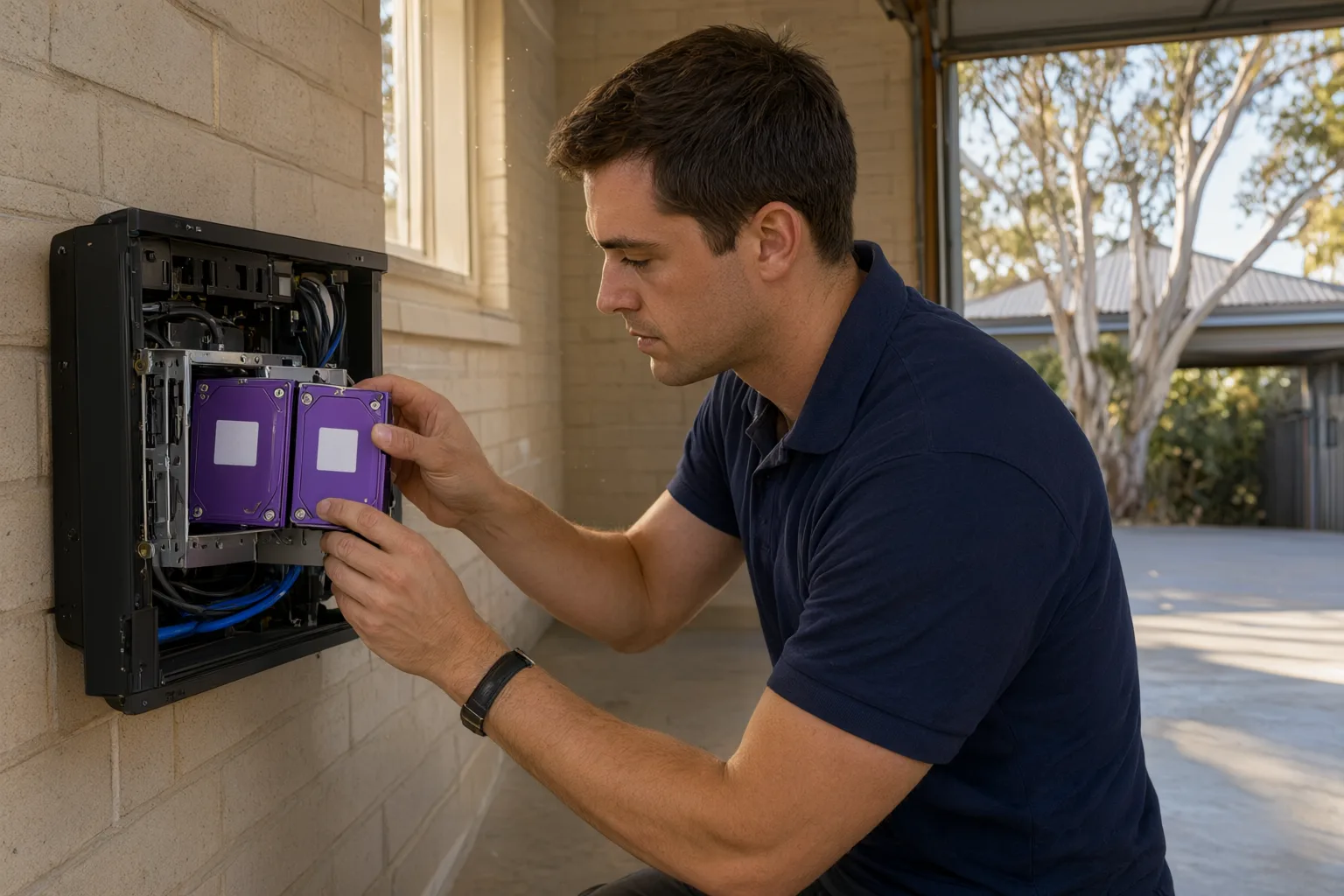
This calculation is exactly why professional design matters. During consultation we assess your camera count, [[how-to-position-cameras-to-comply-with-australian-privacy-expectations|placement]], lighting conditions and whether continuous or motion-based recording suits each position, then specify a network video recorder with sufficient drive bays. We always recommend surveillance-grade drives — Western Digital Purple or Seagate SkyHawk — because consumer desktop drives fail rapidly under constant CCTV workloads, particularly in hot, poorly ventilated roof spaces and garages common across Australian homes.
Which Storage Option Wins: NVR, DVR, Cloud or Hybrid?
Local storage on a network video recorder remains the gold standard. Quality NVRs from Hikvision, Dahua or Uniview accept multiple terabytes, support remote smartphone viewing, and offer intelligent features such as number plate recognition and person detection. For most NSW properties, a 4- or 8-channel unit with one or two 6TB surveillance drives delivers the best balance of cost and retention.
[[nvr-vs-dvr-vs-cloud-storage-understanding-your-recording-options|Cloud storage]] solves one problem — theft or fire destroying the recorder — but creates another. Australian upload speeds make continuous cloud recording impractical for multiple high-resolution cameras, and data costs add up quickly. The smarter play is hybrid: keep 30 days locally on the NVR and push only motion events or critical camera feeds to the cloud. You get manageable bandwidth usage plus off-site copies of the footage that matters most.
Are There NSW or Commonwealth Laws on CCTV Footage Retention?
There is no single NSW statute dictating how long private homeowners must keep CCTV footage. Businesses, however, operate under privacy obligations arising from the Privacy Act 1988 and state surveillance legislation. The governing principle is proportionality: retain footage only as long as necessary for a legitimate purpose. Hoarding recordings for years without justification creates privacy exposure, while deleting too quickly can leave you unable to answer a lawful request or defend a claim.
Insurance requirements tend to be the most concrete driver. Many commercial policies stipulate 30, 60 or 90-day retention as a condition of cover. As part of our handover process we document your retention settings and show you how to export and preserve footage when an incident occurs, so you can satisfy both regulators and insurers with confidence.
Can You Extend Retention Without Buying More Drives?
If your goal is longer retention on existing hardware, several adjustments deliver immediate gains. Dropping the frame rate from 25fps to 15fps has minimal impact on evidentiary quality yet saves around 40 percent of storage. Enabling H.265+ smart codec support and AI-filtered motion detection can turn a 4TB drive from a two-week buffer into a two-month archive. Repositioning cameras away from busy roads and swaying vegetation eliminates thousands of false triggers that silently consume space.
Maintenance is equally important. Hard drives degrade gradually, and a failing drive can stop writing weeks before it dies outright — often without any obvious warning. Our five-step installation process includes configuring automated health alerts that notify you when free space falls below your target retention or when a drive shows early signs of trouble. That proactive monitoring underpins our lifetime support commitment to every customer.
Why Do Newcastle and Adelaide Insurers Require 90 Days of Footage?
CCTV Storage Options Compared for NSW & SA Properties
| Storage Option | Typical Retention | Best Suited To |
|---|---|---|
| Local NVR (2–4TB HDD) | 14–45 days | Newcastle homes and small retail shops |
| Local NVR (8–16TB RAID) | 60–90+ days | Adelaide warehouses, offices and commercial sites |
| Cloud subscription | 7–30 days | Renters and single-door monitoring |
| Hybrid (NVR + cloud backup) | 90+ days critical clips | Farms and high-liability businesses |