
Key Takeaways
- Linking Hik-Connect, DMSS or EZView accounts to Google Home takes roughly ten minutes per system.
- Cloud-to-cloud linking means cameras must be registered online before Alexa or Google discovery works.
- Hikvision AcuSense and ColorVu ranges support both assistants via the Hik-Connect platform.
- Voice match or PIN protection should be enabled before displaying feeds on shared smart displays.
- Buffering on Echo Show or Nest Hub is usually a Wi-Fi bandwidth issue, not a camera fault.
- Licensed installers in Newcastle NSW and Adelaide SA typically charge $150–$300 for smart home CCTV integration.
What Does CCTV Integration With Google Home and Alexa Actually Do?
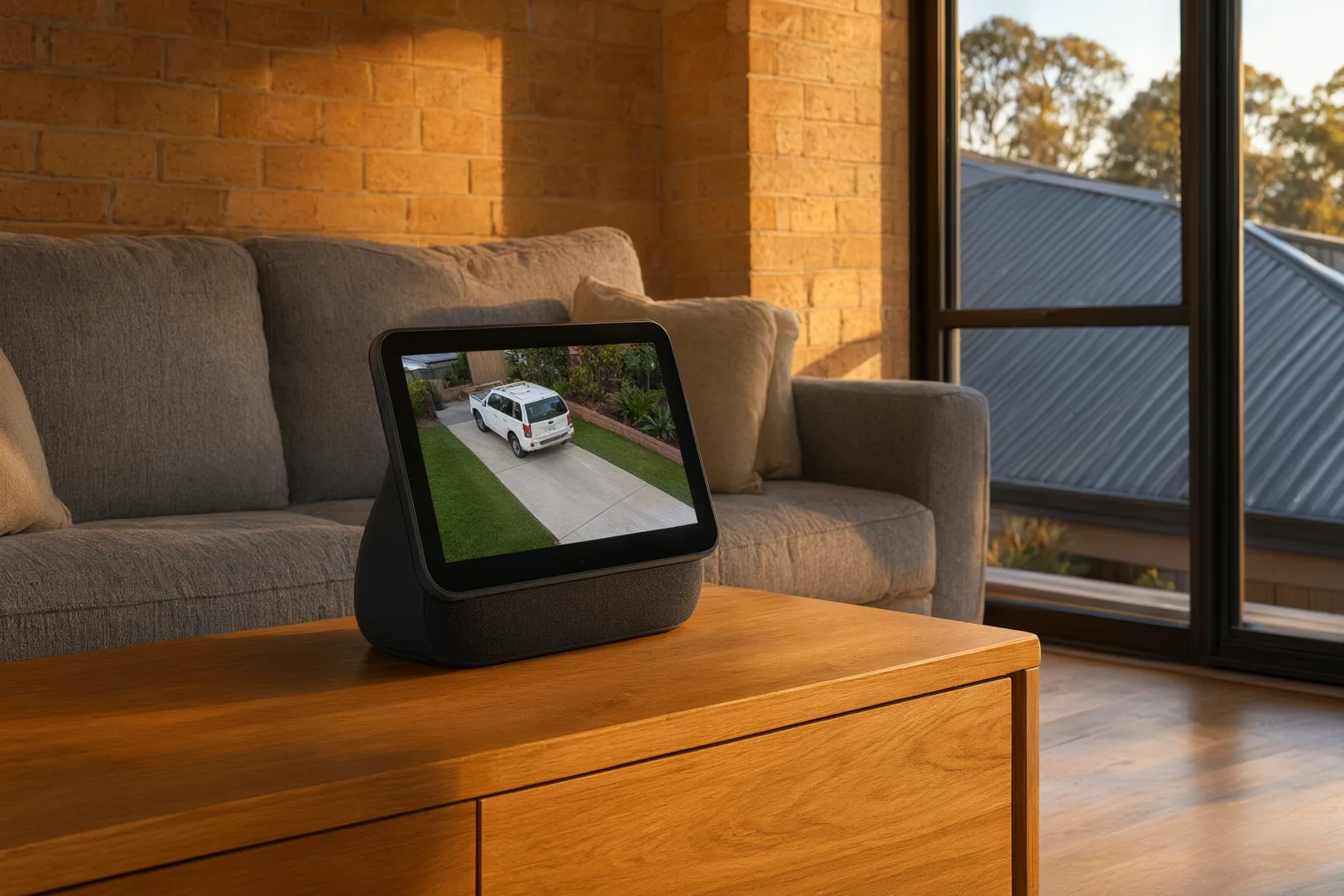
Connecting your CCTV cameras to Google Home or Alexa takes about ten minutes: link your camera brand's cloud account – Hik-Connect, DMSS or EZView – through the Google Home or Alexa app, then say 'Hey Google, show me the front door' or 'Alexa, show me the driveway' to stream live video instantly on a Nest Hub, Echo Show or Fire TV.
Integration also unlocks automation. Your smart speakers can announce visitors when a doorbell camera detects motion, routines can combine camera views with lighting actions, and family members can check who has arrived without touching a device. For households managing young children, elderly relatives or busy comings and goings, this turns a passive recording system into an active, responsive part of daily life.
The good news for Australian homeowners is that professional-grade equipment supports this natively. Hikvision, Dahua, Uniview and Axis systems all offer pathways into both ecosystems, though each brand uses its own cloud platform and setup method. Choosing hardware that matches your preferred assistant, then configuring the network correctly, is what separates a smooth experience from a frustrating one.
How Voice Assistant Camera Integration Works Behind the Scenes
Smart home camera integration relies on cloud-to-cloud communication. Your cameras register with the manufacturer's platform – Hik-Connect for Hikvision, DMSS for Dahua, EZView for Uniview – and when you link that account to Google Home or Alexa, you authorise the voice assistant to request live streams through the manufacturer's API. This is why your cameras must be online and registered to the manufacturer's cloud service before linking will succeed.
Once the accounts are connected, you assign each camera to a room and give it a friendly name. From that point, natural language commands pull up the corresponding feed. The assistant doesn't talk directly to your camera hardware; it talks to the manufacturer's servers, which relay the stream to your display.
This architecture means performance depends heavily on your network. High-resolution cameras generate substantial bandwidth demands, and any congestion, weak Wi-Fi signal or slow upload speed shows up as buffering or delayed video on your smart display. It also means firmware updates and active cloud subscriptions matter – if the manufacturer's service changes, so does your integration. A professionally designed network with wired PoE connections eliminates most of these variables.
Which CCTV Brands and Cameras Support Smart Home Integration?
Hikvision's AcuSense and ColorVu ranges integrate with both Google Home and Alexa through the Hik-Connect platform. AcuSense models use deep-learning analytics to tell people and vehicles apart from irrelevant movement, which dramatically reduces false notifications. ColorVu cameras capture full-colour footage around the clock, even in near-total darkness – a genuine advantage when you're squinting at a feed across the room on a small smart display screen.
Dahua's TiOC (Three-in-One Camera) series connects via the DMSS app and adds active deterrence: built-in sirens and strobe lights that can be triggered automatically or manually. Uniview's ColorHunter cameras offer strong low-light performance through the EZView platform, while Axis cameras support the ONVIF standard, giving them broad compatibility with third-party hubs and integrations.
Whatever brand you choose, Power over Ethernet (PoE) cameras are strongly recommended over Wi-Fi models for smart home use. A single Ethernet cable carries both power and data, delivering rock-solid connectivity that never drops out mid-command. Wi-Fi cameras compete for bandwidth with every other device in the house and are prone to offline status exactly when you need them most.
Can You Connect CCTV Cameras to Google Home Yourself?
Begin by confirming your cameras are online and streaming correctly in the manufacturer's app – Hik-Connect, DMSS or EZView depending on your brand. Then open the Google Home app on your phone, tap the plus icon, choose 'Set up device' and select 'Works with Google'. Search for your camera manufacturer's service and sign in with your account credentials to authorise the link.
Google Home will then discover your cameras automatically. Assign each one to a sensible room and give it a clear, spoken-friendly name. 'Front Door', 'Back Deck' and 'Garage' work beautifully; 'Camera 1' or 'IPC-HDW' will leave your assistant guessing. Test with a command such as 'Hey Google, show me the front door on the living room display'.
In multi-person households, add everyone who needs access to your Google Home household with appropriate permissions. You can also build routines that pair camera views with other actions – switching on outdoor lights when motion is detected after dark, or broadcasting an announcement when someone arrives at the front door.
Do All CCTV Cameras Work With Alexa in Australia?
Alexa follows a comparable path. Open the Alexa app, tap 'Devices', tap the plus icon and select 'Add Device'. Choose 'Camera' as the device type, then pick your camera brand from the list. Alexa will prompt you to enable that manufacturer's Alexa skill and link your account – once done, the app discovers your cameras automatically.
Assign cameras to groups and give them memorable names, then test with 'Alexa, show me the driveway'. Live streams appear on Echo Show, Echo Spot and Fire TV devices, and the Alexa app itself can display feeds remotely when you're away from the property.
Both ecosystems support announcements: when a [[video-doorbells-vs-traditional-cctv-cameras-which-does-your-home-need|doorbell]] camera detects a person or someone presses the bell, your smart speakers can call out 'Someone is at the front door' throughout the house. This is especially valuable in larger homes, double-storey designs, or when you're out in the backyard and a conventional doorbell would go unheard.
Is It Safe to Link Security Cameras to Voice Assistants?
Any camera linked to Google Home or Alexa is potentially viewable by voice command – which means guests, children or visitors could pull up your feeds unless controls are in place. Both platforms let you require voice match or a PIN code before displaying sensitive devices, and these protections should be enabled as standard practice rather than treated as optional extras.
Two-factor authentication on your manufacturer account is non-negotiable. An attacker who compromises your Hik-Connect, DMSS or EZView login could watch every camera you own, from anywhere. Use a long, unique password and prefer authenticator-app-based 2FA over SMS where the option exists.
Network segmentation adds another critical layer. Licensed installers typically place CCTV equipment on a separate VLAN or subnet, isolating cameras from your main home network so a compromised smart bulb or speaker cannot become a pathway into your [[4k-vs-1080p-security-cameras-is-the-upgrade-worth-the-money|security]] system. Finally, configure privacy zones on each camera to mask neighbouring properties, public footpaths and any areas where recording would be inappropriate or unlawful under Australian privacy expectations.
Why Does My Camera Feed Buffer on Echo Show or Nest Hub?
Buffering or delayed video on a smart display is the most frequent complaint, and it is almost always a network issue rather than a camera fault. Streams from high-resolution or high-bitrate cameras demand consistent throughput; congested Wi-Fi or inadequate upload speed guarantees stuttering playback. The fix is PoE cameras on a wired backbone and a router capable of handling the load.
Cameras showing as offline in Google Home or Alexa while working fine in the manufacturer's app usually indicate a cloud connectivity problem between the vendor's servers and Google or Amazon. Check that firmware is current, that your account link hasn't expired, and that you haven't hit any device limits on your manufacturer's cloud plan.
Unreliable voice commands typically trace back to poor naming. Assistants struggle with names containing numbers, abbreviations or model codes. Use plain descriptive labels, and where multiple cameras cover one area, add directional qualifiers such as 'Front Door East' and 'Front Door West' so the assistant can distinguish between them confidently.
Should Newcastle and Adelaide Homeowners DIY or Hire an Installer?
Technically, a confident homeowner can complete the account-linking steps themselves. What DIY setups routinely miss is everything underneath: correct network design, secure remote access configuration, VLAN segmentation, current firmware across every device, and camera positioning that respects neighbours' privacy while still capturing what matters.
Licensed Australian installers also bring local knowledge – protecting equipment from harsh summer heat, coastal salt air and storm exposure, and configuring systems to comply with Australian conditions and compliance requirements. They'll train your household on the smart features and remain available when something needs adjusting.
Aussie CCTV Cams follows a proven five-step process: an initial consultation to understand your needs, custom system design, professional [[how-much-does-professional-cctv-installation-cost-in-australia|installation]], network configuration with smart home integration, and a comprehensive handover including training. We install professional-grade Hikvision, Dahua, Uniview and Axis hardware, and every installation is backed by lifetime support. Ready to control your cameras with your voice? Contact us for a free quote.
Google Home vs Alexa for CCTV: Feature Comparison
| Feature | Google Home | Amazon Alexa |
|---|---|---|
| Compatible Displays | Nest Hub, Nest Hub Max, Chromecast with Google TV | Echo Show, Echo Spot, Fire TV |
| Example Voice Command | 'Hey Google, show me the front door' | 'Alexa, show me the driveway' |
| Supported Brands | Hikvision, Dahua, Uniview, Axis, Arlo, Ring | Hikvision, Dahua, Uniview, Axis, Arlo, Ring |
| Two-Way Audio | Supported on compatible cameras | Supported on compatible cameras |
| Routine Automation | Yes, via Google Home routines | Yes, via Alexa routines |
| Motion Announcements | Yes, with compatible cameras | Yes, with compatible cameras |
| Setup Method | Account linking via 'Works with Google' | Manufacturer skill enablement |
| Privacy Controls | Voice match, guest mode, activity controls | Voice PIN, household profiles, privacy settings |