
Key Takeaways
- A complete CCTV handover document should list every camera's model, IP address and location within one week of installation.
- Printed wrap-around labels rated above 60°C are essential, as Australian roof cavities regularly exceed that temperature in summer.
- Technicians with a labelled system and site map can diagnose faults in under an hour instead of half a day of billable tracing.
- NSW installers must hold a Class 2C security equipment licence, which obliges them to provide compliant handover records.
- Update your CCTV site map and camera schedule the same day any camera is added, moved or re-aimed to stay accurate.
- Review all CCTV documentation annually during a maintenance visit, including footage playback verification and label condition.
What Does Professional CCTV Documentation Involve in Australia?
Professional CCTV documentation means three things done together: every camera and cable is labelled with a consistent naming convention, a site map records where each camera sits and how its cabling runs back to the recorder, and a handover document captures the technical details — IP addresses, passwords, firmware versions and recording settings — that anyone servicing the system will need.
Done properly, this turns your security system into a maintainable asset rather than a mystery box of cables in the ceiling. When something fails years down the track, the technician attending your home or business can diagnose the fault in minutes instead of spending billable hours tracing wires through a roof cavity.
Why Do Most CCTV Systems Fail at the Documentation Stage?
There's a pattern that plays out on properties across Australia every week. A system goes in, the cameras work, the installer leaves — and nothing gets written down. Two or three years later, a camera drops off the NVR after a storm, or the owner wants to add coverage over a new carport or extension. The technician who arrives has no labels to follow, no map to consult and no record of which port feeds which camera.
The result is wasted time you pay for. A straightforward fault that should take half an hour to find can balloon into a half-day job of guesswork: pulling ceiling tiles, feeding fish tape through wall cavities and testing ports one by one. On commercial sites with dozens of channels, undocumented systems become genuinely expensive to maintain.
Documentation is also one of the clearest signals separating a licensed professional from a cheap operator who vanishes once the picture appears on screen. If an installer can't show you a labelled, mapped, documented system at handover, ask why.
How Should You Choose a CCTV Camera Naming Convention?
The foundation of good labelling is a naming convention simple enough for anyone to understand at a glance, but specific enough to be unambiguous. The standard professional approach combines a camera number with its physical location: CAM01-FRONT-DRIVEWAY, CAM02-BACK-PATIO, CAM03-SIDE-GATE, CAM04-REAR-ENTRANCE.
Vague names are the most common mistake. 'Camera 1' tells a technician nothing when they're standing in your backyard with a ladder. A location-based name instantly tells them what they're looking at, which direction it should face and which entry on the recorder it belongs to.
Whatever convention you choose, apply it everywhere: on the camera itself, on both ends of its cable run, on the corresponding NVR or PoE switch port, and in the camera schedule within your documentation. Consistency across all four points is what makes a system genuinely easy to service. Our installers are fully licensed under state security laws and comply with the Privacy Act 1988 at every job.
Which Labels Survive Australian Roof Cavity Conditions?
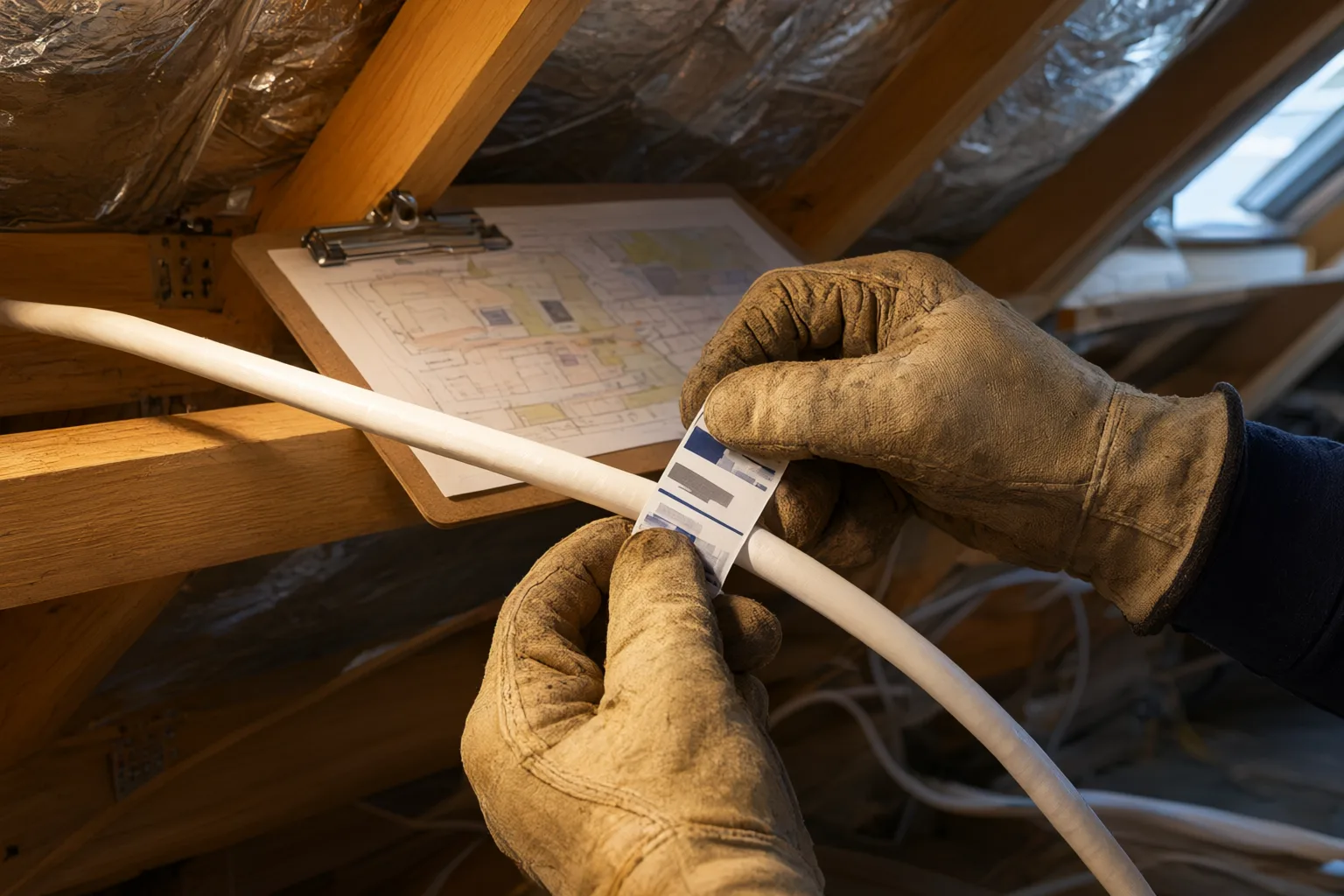
Not all labels are equal, and Australian conditions are unforgiving. Roof cavities regularly exceed 60°C during summer, and in coastal areas salt air accelerates the degradation of adhesives and printed text. Handwritten masking tape, the shortcut used on countless budget installations, fades and peels within months.
Professionals use printed wrap-around cable labels or heat-shrink markers rated for heat and UV exposure. These survive years in a hot ceiling without lifting or becoming illegible. Sealed label options add further protection against corrosion in coastal environments from Wollongong to Cairns.
Don't stop at cameras and cables. Power supplies, PoE injectors, junction boxes and any network switches in the chain should all carry labels identifying what they feed. A junction box labelled with the two cameras it serves saves a technician from opening three others to work out which one matters.
Can a Site Map of Your Camera System Cut Repair Costs?
A site map is a diagram of the property showing each camera's mounting position, viewing direction, field of view and the route its cable takes back to the recorder. It does not need to be architectural-grade — a clear sketch drawn over a floor plan or an aerial screenshot from Google Maps works perfectly well.
Beyond camera positions, mark the NVR location, any PoE switches, junction boxes, and the points where cables enter roof or wall cavities. Note conduit runs and any underground cable paths. This last point matters particularly on rural properties and commercial sites, where cable runs between buildings can be long and buried conduit is invisible once the ground settles.
When a technician arrives to fix a fault, the map tells them exactly where to look before they climb a single ladder. Keep a printed copy stored near the NVR and a digital copy in cloud storage or emailed to yourself, so it survives even if the physical copy is lost or damaged.
Is Your CCTV Handover Document Complete?
The handover document is the master record of the entire system. At minimum it should contain the camera schedule (name, model, location, lens type and IP address), the network configuration (NVR IP address, port settings and [[remote-configuration-of-cctv-systems-how-installers-manage-your-cameras-off-site|remote]] viewing app details), and the recording settings (resolution, frame rate, retention period and motion detection zones).
Credentials deserve special care. Store admin passwords securely — a password manager is ideal — but make sure a trusted second person can access them in an emergency. There is nothing more frustrating than a fully functional system nobody can log into because the one person who knew the password has moved house or left the business. For commercial premises, nominate at least two authorised contacts.
Firmware versions should be recorded too, along with update dates. Modern systems such as Hikvision AcuSense and ColorVu ranges receive firmware updates that add detection capabilities, and knowing your current versions helps an installer advise when an update is worthwhile versus unnecessary risk.
Do You Need to Update CCTV Documentation Over Time?
Documentation only retains value if it reflects reality. Every time a camera is added, moved, replaced or re-aimed, update the site map and camera schedule the same day while the change is fresh. The same discipline applies after firmware updates, NVR replacements, or changes to your internet provider that affect remote access.
A practical habit is an annual review, ideally bundled with a maintenance visit where cameras are cleaned, focus is verified and recording playback is tested end to end. This catches drift between the paperwork and the actual [[from-quote-to-commissioning-what-a-professional-cctv-installation-timeline-looks|installation]] before it accumulates into a new documentation problem.
Treat your CCTV documentation the way you'd treat the wiring diagram for your switchboard: dull right up until the day it saves you hundreds of dollars in diagnostic time.
Should You Ask for a Handover Before Signing an Installation Quote?
If you're [[what-installers-check-before-leaving-your-property-inside-a-professional-commiss|commissioning]] a new system, ask before signing what documentation you'll receive at completion. A licensed installer should provide labelled cables and cameras, a site map, a completed camera and network schedule, and a training session covering the mobile app, footage export and basic settings adjustments.
This is built into a proper five-step process — consultation, design, installation, configuration, then handover with training — because a system you don't understand is a system you won't get full value from. Training isn't a nice-to-have; it's part of the product.
If your existing system was installed without any of this, it's never too late. A single service visit can identify and label every camera and cable, record the network settings and credentials, and produce a site map and schedule. It's a one-time investment that makes every future repair call and upgrade dramatically cheaper.
Essential CCTV Documentation Checklist
| Item | What to Record | Why It Matters |
|---|---|---|
| Camera schedule | Name, model, location, lens type, IP address | Fast fault identification and warranty claims |
| Cable labels | Unique ID at both ends matching the camera name | No time wasted tracing cables in roof cavities |
| Site map | Camera positions, viewing direction, cable routes, NVR location | Technicians can locate faults before arriving |
| Network settings | NVR IP, port settings, remote viewing app details | Restoring remote access after NBN or router changes |
| Credentials | Admin passwords stored securely with two authorised holders | Prevents lockouts and emergency access delays |
| Recording settings | Resolution, frame rate, retention days, motion zones | Consistent evidence quality and storage planning |
| Firmware versions | Current firmware on NVR and cameras, update dates | Informs security patches and feature upgrades |