
Key Takeaways
- Mounting height matters more than camera resolution — face-level coverage beats eaves-mounted overviews
- Battery Wi-Fi cameras struggle in Australian brick homes, heat and coastal salt air
- Default passwords expose thousands of DIY feeds to strangers worldwide
- Cloud-only or SD-card-only storage leaves you with no footage when it matters
- Many DIY systems can be salvaged and upgraded rather than fully replaced
What Is the Real Cost of a Weekend Camera Install?
The short answer is that a weekend DIY camera install typically costs $400–$1,500 in parts but often delivers footage you can't actually use. You can avoid the most common DIY CCTV mistakes by mounting cameras at identification height, choosing wired power where possible, changing every default password, and planning storage backups before you drill a single hole into your brick walls.
The problem only reveals itself later. As licensed installers called out to rescue failed DIY systems across NSW, we see the same handful of errors repeated on property after property. None of them are obvious at installation time. They surface months down the track: a break-in occurs, you open the app, and the footage is too dark, too blurry, aimed at the wrong spot — or the camera silently died weeks ago and nobody noticed.
This article walks through the seven mistakes we encounter most often, why each one matters specifically in Australian conditions, and how a professional approach eliminates every one of them.
Why Do DIY Cameras Mounted Too High Fail to Identify Anyone?
The most frequent DIY error is also the most understandable: mounting [[how-many-cameras-does-the-average-australian-home-actually-need|cameras]] up under the eaves because it's the easiest place to reach with a drill. The trouble is that at 3.5 to 4 metres, angled steeply downward, your camera records excellent footage of the tops of people's hats — and almost nothing useful of their faces.
For identification-grade footage, cameras belong between 2.4 and 3 metres off the ground, tilted so that anyone approaching is captured close to eye level. Overview shots can sit higher; face capture cannot.
Professionals work this out before drilling anything. During our 5-step [[how-much-does-professional-cctv-installation-cost-in-australia|installation]] process, we walk the property first, mapping approach routes — driveway, front path, side gates — then position each lens so intruders walk toward it rather than past it. Sun path matters too: a west-facing camera staring into low afternoon summer sun delivers silhouettes instead of faces.
Should You Trust Wi-Fi Where Cabling Belongs?
Battery-powered Wi-Fi cameras dominate the DIY shelves, and they're consistently the biggest letdown in real Australian homes. Our housing stock is actively hostile to wireless signals: double-brick and brick veneer construction, Colorbond roofing and foil-backed insulation all degrade signal badly. Then add a north-facing wall in a 40-degree January, cooking a battery camera until it drops offline or dies entirely.
The result is familiar: constant dropouts, flat batteries, and recording gaps exactly when coverage mattered.
Hardwired professional systems sidestep all of it using Power over Ethernet. One Cat6 cable carries both power and data to each camera — no batteries to charge, no signal to lose. A hardwired Hikvision or Dahua camera records continuously to an NVR without touching your home Wi-Fi, which has a bonus benefit: your surveillance traffic stays separate from gaming consoles and streaming devices competing for bandwidth.
Can Your Cameras Survive Australian Weather and Salt Air?
Consumer camera kits are engineered for a global average, not for an Australian summer or a coastal postcode. We regularly pull down cameras that have corroded through within 18 months in seaside suburbs, or filled with condensation after a heavy Sydney storm season.
Water ingress usually starts small. An unsealed wall penetration lets rainwater track along the cable directly into the camera housing — or worse, into your wall cavity where the damage spreads unseen.
Professional installations specify IP66 or IP67-rated housings, run cables in UV-stable conduit, seal every penetration with proper gland fittings, and select corrosion-resistant mounting hardware for salt-air environments. In bushfire-prone regions, ember exposure and heat ratings enter the design as well. It's unglamorous detail work, but it's precisely what separates a system still running in year ten from one dead before its second summer.
Are Default Passwords Exposing Your Network to Strangers?
This mistake never appears in your own footage — it appears in news stories about hacked camera feeds worldwide. Thousands of DIY cameras are viewable by complete strangers because owners never changed the factory admin password, or enabled remote viewing via port forwarding that punched a hole straight through the router firewall. Your [[poe-vs-wi-fi-cameras-which-is-better-for-australian-homes|security]] camera becomes somebody else's entertainment.
Network hardening is standard in a professional handover: unique strong credentials on every device, firmware updated to current versions, unused services switched off, and remote access delivered through secure P2P or VPN methods rather than exposed ports. Where appropriate, cameras live on their own segmented network so a compromised device can't reach your computers or NAS drives.
Do You Have a Backup Plan for Storage and Power?
Ask most DIY installers where their footage lives and the answer is 'the cloud' or 'an SD card inside the camera'. Both are single points of failure. SD cards in outdoor housings cook in the heat and fail without warning; cloud subscriptions lapse quietly; and if a thief simply removes the camera, they remove your evidence along with it. Throw in a blackout during a break-in and a battery system can go completely dark at the worst possible moment.
Professional systems record to an NVR secured inside the house, with hard drives sized for more than 30 days of continuous footage. Recording schedules blend motion-triggered and continuous modes, overwrite protection is configured, and a small UPS keeps the recorder and cameras alive through short power cuts. Your footage survives even if a camera doesn't.
Which Cameras Suit Each Job Around Your Home?
DIY kits hand you four identical cameras and expect them to handle a front door, a dark side passage, a wide driveway and a back deck equally well. They can't. Reading a number plate at the end of a long driveway demands a completely different lens and shutter configuration than capturing a face on a porch after dark.
Professionals match technology to task at design stage: ColorVu models for full-colour night footage at entry points, AcuSense cameras that tell the difference between people and vehicles versus possums and moving tree branches, varifocal lenses for long approaches, and ANPR units where plate capture genuinely matters. This matching process is why professionally captured footage holds up when police actually request it.
How Does Maintenance Extend Beyond Installation Day?
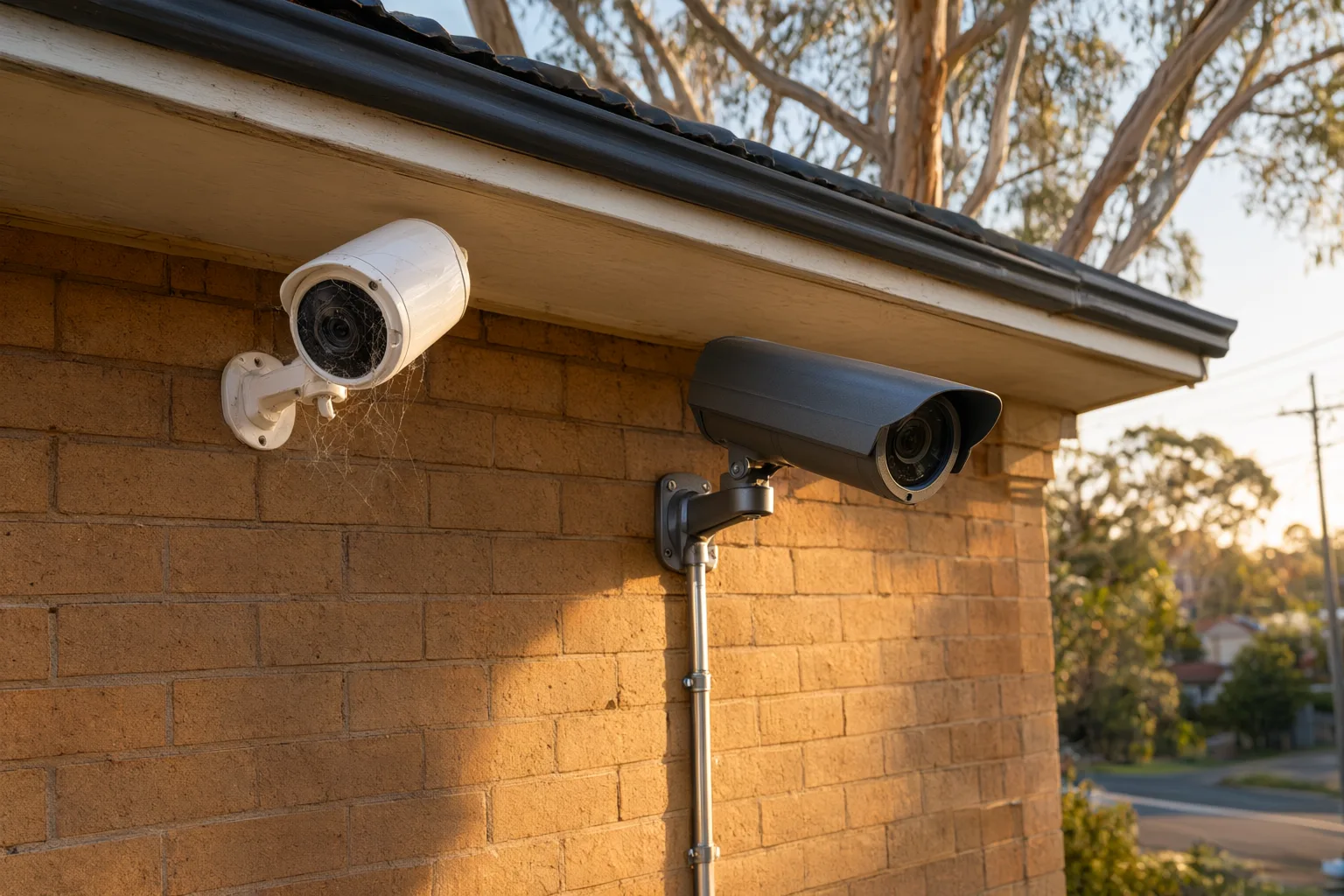
The final mistake is assuming the job ends once the cameras are up. Lenses gather dust, spiders weave webs across infrared sensors, firmware needs updating, and hard drives wear out over time. DIY systems degrade silently until the day you need them most. There are legal dimensions too — camera positioning relative to neighbours' private spaces, and for businesses, workplace surveillance obligations under NSW law.
A licensed and insured installer finishes differently: with training, documentation and ongoing support. You learn how to drive the app, export footage and keep the system healthy, and there's a phone number to call when something needs attention. That's the genuine difference between owning cameras and being protected.
Is Upgrading Better Than Replacing Your Existing Setup?
Not every DIY system needs to go in the bin. In many cases we salvage what's there: repositioning poorly mounted cameras, adding a proper NVR behind hardened network settings, and swapping weak Wi-Fi units for PoE equivalents one at a time. A site assessment identifies which components are worth keeping and which are undermining reliability — often saving homeowners a significant portion of a full replacement cost while still delivering professional-grade results.
Before you buy anything, walk your property at night. The dark side passage that looks harmless at noon is pitch black by 7pm in winter, and no amount of infrared will compensate for a camera pointed at a blank wall. Sketch a simple coverage plan showing entry points, driveways and blind spots, then match each zone to a camera type rather than buying a four-pack and hoping for the best.
Australian conditions punish cheap hardware faster than almost anywhere else. In [[/adelaide|Adelaide]] SA, summer roof temperatures regularly exceed 60°C, cooking budget electronics until infrared arrays fail. In coastal [[/newcastle|Newcastle]] NSW, salt-laden air corrodes housings and connectors within a couple of seasons unless they're marine-rated. Check IP ratings, operating temperature ranges and UV-stable mounts before committing — and remember that any camera facing the street or a neighbour's property must respect the Privacy Act 1988 and state surveillance laws.
Finally, keep records of everything: serial numbers, passwords stored in a password manager, firmware versions and your footage retention settings. If an incident occurs and police request footage, being able to hand over clear, timestamped clips within days makes the difference between a useful system and an expensive ornament on your wall.
Comparing DIY and Professional CCTV Options for Australian Homes
| Option | Typical Cost (AUD) | Best For |
|---|---|---|
| Battery Wi-Fi DIY kit | $400–$800 | Renters wanting temporary, tool-free coverage |
| Wired PoE DIY kit + NVR | $900–$1,600 | Handy owners comfortable running cable through ceilings |
| Professional installation | $1,800–$4,500 | Brick homes, coastal properties, guaranteed coverage |
| Remedial upgrade of existing DIY gear | $350–$900 | Fixing mounting, cabling and storage mistakes cheaply |