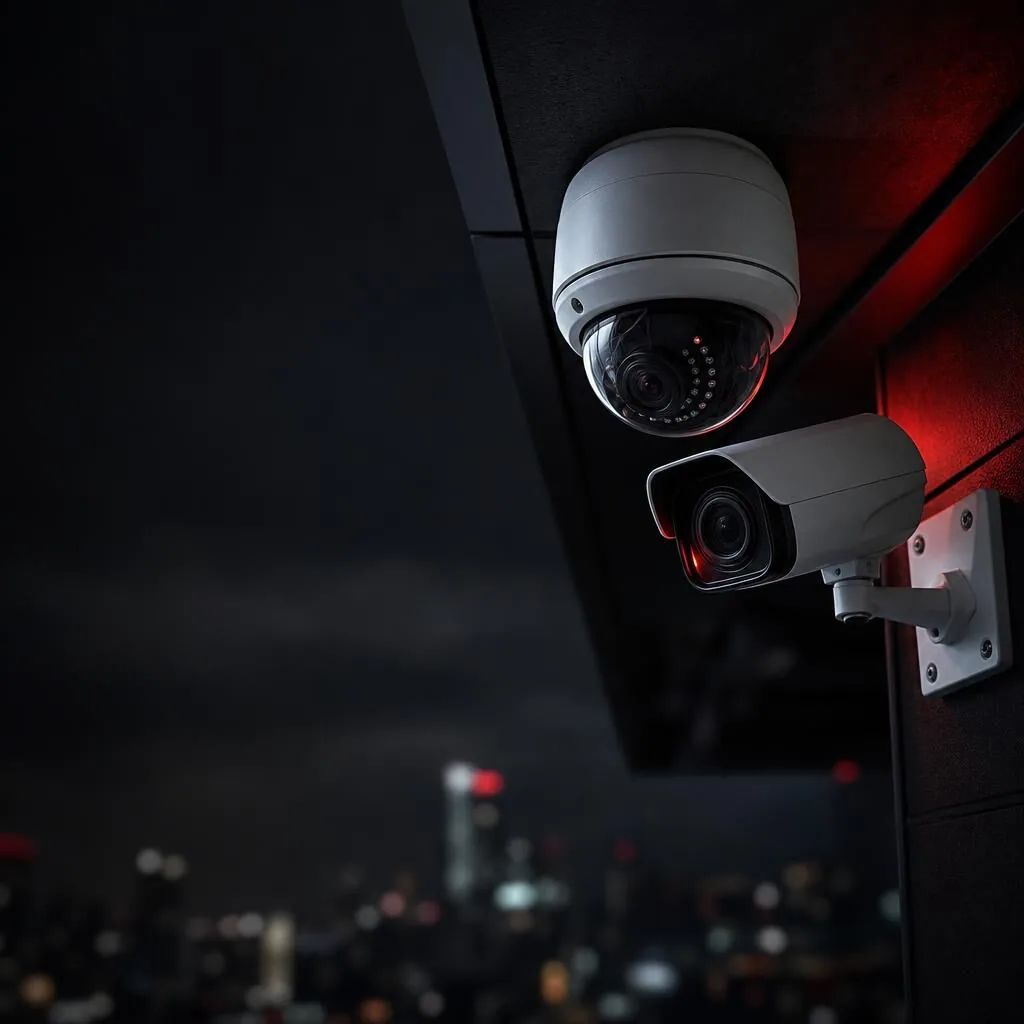
Key Takeaways
- Warehouse CCTV reduces theft by up to 60% and provides critical evidence for insurance claims
- IP cameras with PoE simplify cabling and deliver superior image quality over analogue systems
- Strategic camera placement at entry points, loading docks, and high-value storage areas is essential
- AI-powered analytics like AcuSense reduce false alarms by distinguishing humans from animals or vehicles
- Professional installation ensures compliance with Australian privacy laws and optimal system performance
- Remote viewing lets managers monitor multiple sites from anywhere via smartphone or desktop
Why Australian Warehouses Need Professional Surveillance
Warehouses face unique security challenges: vast floor spaces, high-value inventory, multiple entry points, and constant vehicle movement. A single incident of theft or vandalism can cost tens of thousands of dollars, not to mention the operational disruption and insurance headaches that follow.
Professional warehouse surveillance systems do more than record crime. They deter theft, monitor workplace safety, verify deliveries, resolve disputes, and provide evidence for police and insurers. Modern systems with AI analytics can even alert you to unusual activity in real time, turning passive recording into active protection.
Australian conditions add another layer of complexity. Warehouses in regional areas deal with dust, heat, and insects. Coastal facilities face salt air corrosion. A professionally designed system accounts for these factors, using rated housings, appropriate camera types, and robust cabling that won't fail when you need it most.
Essential Camera Types for Warehouse Environments
Not all cameras are suited to warehouse conditions. High ceilings, poor lighting, and 24/7 operation demand specific technologies. Here's what works best in Australian warehouse settings.
- Bullet cameras: Ideal for long-range viewing down aisles and across open floor areas. Look for models with motorised varifocal lenses (2.8-12mm or 5-50mm) so you can adjust the field of view during installation.
- Dome cameras: Vandal-resistant and discreet, domes work well in packing areas, offices, and staff zones. Choose IK10-rated models for high-traffic areas where accidental impact is possible.
- PTZ cameras: Pan-tilt-zoom cameras cover large areas with a single unit. They're perfect for monitoring loading docks and car parks, allowing operators to track vehicles or zoom in on number plates.
- Thermal cameras: For high-value storage or perimeter protection, thermal imaging detects intruders in complete darkness, smoke, or dust. Hikvision and Dahua both offer thermal bullet cameras suited to Australian conditions.
- ANPR cameras: Automatic Number Plate Recognition cameras at entry and exit points create a searchable database of every vehicle that enters your site. Essential for logistics facilities and distribution centres.
Key Features That Matter in Warehouse CCTV
Resolution is critical. A 4K camera (8MP) captures number plates and faces from 20+ metres away, while a 2MP camera struggles beyond 10 metres. For most warehouse applications, 4MP to 8MP cameras offer the best balance of detail and storage efficiency.
Low-light performance separates consumer cameras from professional gear. Hikvision's ColorVu technology delivers full-colour images 24/7 using supplemental lighting, while Starlight sensors produce usable monochrome images in near-darkness. Both are game-changers for warehouses that operate around the clock.
AcuSense AI reduces false alarms by distinguishing humans and vehicles from animals, shadows, and moving foliage. Instead of getting 50 motion alerts overnight, you get three that actually matter. This technology is built into modern Hikvision and Dahua NVRs at no extra cost.
Power over Ethernet (PoE) simplifies installation by running power and data through a single cable. This reduces cabling costs, improves reliability, and makes future expansion straightforward. All professional IP camera systems use PoE as standard.
Designing Your Warehouse Camera Layout
Camera placement is more important than camera count. A well-designed system with 16 cameras will outperform a poorly planned 32-camera system every time. Start by identifying your critical zones: entry and exit points, loading docks, high-value storage, packing stations, and blind spots.
Entry points need cameras that capture faces clearly. Mount them at 2.5 to 3 metres high, angled slightly downward. Too high and you'll only see the top of heads. Too low and they're vulnerable to tampering. Loading docks require cameras that cover both the dock area and the interior of trucks during loading and unloading.
Aisles present a unique challenge. A single camera at the end of a 50-metre aisle won't capture usable detail. Instead, use multiple cameras with overlapping fields of view, or install a PTZ camera that can patrol the aisle on a preset tour. For very long aisles, consider cameras with 180-degree panoramic lenses.
Don't forget the perimeter. Outdoor cameras monitoring your fence line, car park, and building exterior provide early warning of intruders before they reach your inventory. Pair these with motion-activated lighting for maximum deterrent effect.
Storage, Retention, and Remote Access
How long should you keep footage? Most Australian warehouses retain 30 to 90 days, depending on insurance requirements and the value of goods stored. High-value or high-risk facilities often keep 12 months or more. Your NVR (Network Video Recorder) needs enough hard drive capacity to store this footage without overwriting critical evidence.
A 16-camera system recording at 4MP resolution, 15 frames per second, uses roughly 1TB per week. For 90-day retention, you'd need 12TB of usable storage. Professional NVRs support multiple hard drives and RAID configurations to protect against drive failure.
Remote viewing is now standard. Modern systems let you view live and recorded footage from anywhere via smartphone apps or web browsers. This is invaluable for managers overseeing multiple sites or checking on after-hours alarms. Ensure your system uses encrypted connections and strong passwords to prevent unauthorised access.
Compliance and Legal Considerations
Australian privacy laws require you to notify staff and visitors that surveillance is in use. This means clear signage at all entry points and a written surveillance policy for employees. Cameras must not be installed in areas where people have a reasonable expectation of privacy, such as bathrooms or change rooms.
Audio recording is heavily restricted. In NSW, it's illegal to record conversations without consent. Most warehouse CCTV systems record video only, which keeps you compliant and avoids legal complications.
Workplace health and safety regulations may actually require surveillance in certain areas. If you store dangerous goods or operate heavy machinery, CCTV can help you meet your duty of care obligations and provide evidence in the event of an incident or WorkCover claim.
Warehouse CCTV System Comparison
| Warehouse Size |
Camera Count |
Camera Type |
Storage |
Typical Cost |
| Small (500-1,000 sqm) |
8-12 cameras |
4MP IP bullet/dome mix |
4TB (30 days) |
$8,000-$12,000 |
| Medium (1,000-3,000 sqm) |
16-24 cameras |
4-8MP IP with PTZ |
8-12TB (60 days) |
$15,000-$25,000 |
| Large (3,000+ sqm) |
32-64 cameras |
8MP IP, thermal, ANPR |
16-32TB (90 days) |
$30,000-$60,000+ |
| High-value/24-7 ops |
Custom design |
ColorVu, AcuSense, thermal |
RAID array (12 months) |
Quote required |
Key Takeaways
- Businesses with turnover over $3 million must comply with the Privacy Act 1988 and Australian Privacy Principles
- Clear signage notifying people of CCTV surveillance is legally required before recording begins
- Footage must only be used for the purpose stated at collection and stored securely
- Individuals have the right to request access to footage of themselves under APP 12
- Professional installation with proper configuration reduces privacy breach risks significantly
Do the Australian Privacy Principles Apply to Your Business CCTV?
If your business has an annual turnover of more than $3 million, the Privacy Act 1988 (Cth) applies to you, and that includes how you operate your CCTV system. The 13 Australian Privacy Principles (APPs) set out how you must collect, use, store and disclose personal information — and video footage of identifiable people absolutely counts as personal information.
Even if your turnover falls below the $3 million threshold, you may still need to comply if you handle health information, provide services to government, or operate in certain sectors like finance or telecommunications. Many smaller businesses also choose to follow the APPs voluntarily because it builds customer trust and reduces legal risk.
State and territory surveillance laws add another layer. In New South Wales, for example, the Workplace Surveillance Act 2005 requires employers to notify workers before installing cameras. Getting your head around both federal privacy principles and state surveillance rules is essential before you mount a single camera.
What Counts as Personal Information in CCTV Footage?
Under the Privacy Act, personal information is any information or opinion about an identified individual, or an individual who is reasonably identifiable. That means if your CCTV footage shows someone's face clearly enough to recognise them, it's personal information — full stop.
This applies whether the person is a customer, employee, contractor, supplier or random passerby captured on your cameras. It doesn't matter if you never learn their name. If they can be identified from the footage, the APPs govern how you handle that recording.
Modern high-resolution cameras from Hikvision, Dahua and Axis capture incredibly detailed images, which is brilliant for security but also means almost everything you record will contain personal information. Features like ANPR (automatic number plate recognition) capture vehicle registration details, which are also considered personal information when linked to an identifiable individual.
Notification and Signage Requirements Under the APPs
APP 5 requires you to notify individuals when you collect their personal information. For CCTV, this means clear, visible signage at every entrance and throughout areas under surveillance. The signs must state that CCTV is operating, who is collecting the footage, and why.
A simple 'CCTV in operation' sticker isn't enough. Best practice signage includes your business name, the purpose of surveillance (e.g. 'for safety and security'), and contact details for privacy enquiries. Some businesses also include a brief statement about footage retention periods.
In NSW workplaces, the Workplace Surveillance Act 2005 requires written notice to employees at least 14 days before camera surveillance begins, unless the employee agrees to a shorter period. The notice must specify the kind of surveillance, how it will be carried out, and when it will start. Cameras must be clearly visible — hidden or covert surveillance is generally prohibited without a court order.
Collecting, Using and Disclosing CCTV Footage Lawfully
APP 3 says you can only collect personal information that's reasonably necessary for your business functions. For CCTV, legitimate purposes include preventing theft, ensuring staff and customer safety, monitoring workplace incidents, and protecting property. Installing cameras in toilets, change rooms or prayer rooms is never acceptable, regardless of your security concerns.
APP 6 restricts how you use and disclose footage. You can only use it for the purpose you stated at collection — so if your signage says 'for security purposes', you can't later use that footage to monitor employee productivity or track customer browsing habits for marketing. Using footage for a different purpose requires fresh consent or a new privacy notice.
Disclosure to third parties is tightly controlled. You can share footage with police investigating a crime, or with your insurer assessing a claim, because these relate directly to your stated security purpose. Sharing footage on social media, selling it, or giving it to someone 'just because they asked' breaches the APPs and can result in serious penalties.
Storage, Security and Retention of CCTV Recordings
APP 11 requires you to take reasonable steps to protect personal information from misuse, interference, loss, and unauthorised access. For CCTV systems, this means password-protecting your NVR or DVR, restricting physical access to recording equipment, using encrypted connections for remote viewing, and keeping firmware updated to patch security vulnerabilities.
Professional-grade systems from brands like Hikvision and Uniview include role-based access controls, audit logs showing who viewed footage and when, and encrypted storage. These features aren't just nice to have — they're essential for demonstrating you've taken 'reasonable steps' under APP 11.
Retention periods aren't specified in the Privacy Act, but APP 11.2 says you must destroy or de-identify personal information once it's no longer needed. Most businesses retain CCTV footage for 30 to 90 days, depending on their risk profile and storage capacity. Keeping footage 'just in case' for years creates unnecessary privacy risk and potential liability. Set an automatic overwrite schedule and document your retention policy.
Handling Access Requests and Privacy Complaints
APP 12 gives individuals the right to access personal information you hold about them. If someone asks to see CCTV footage of themselves — perhaps after an incident in your store or car park — you generally must provide it within 30 days, unless an exception applies.
Valid exceptions include situations where providing access would pose a serious threat to life or health, unreasonably impact someone else's privacy, or prejudice an ongoing investigation. If footage shows other identifiable people, you may need to blur their faces before releasing it, or refuse access if that's not practical.
You can charge a reasonable fee for providing access, but it must reflect your actual costs — you can't use fees to discourage requests. If you refuse access, you must explain why in writing and inform the person of their right to complain to the Office of the Australian Information Commissioner (OAIC). Having a clear process for handling requests, and staff trained to follow it, makes compliance much easier.
Practical Steps to Ensure Your CCTV System Complies
Start with a privacy impact assessment before installing or upgrading cameras. Map out where cameras will be positioned, what they'll capture, who will have access to footage, and how long you'll keep recordings. This document demonstrates you've thought through privacy risks and taken steps to minimise them.
Choose equipment with privacy features built in. Modern IP camera systems let you set up privacy masks that block out neighbouring properties, schedule recording times to avoid capturing sensitive activities, and configure user permissions so only authorised staff can view footage. AcuSense technology can even blur faces automatically in live view while still recording clear footage for security purposes.
Train your team on privacy obligations. Everyone who can access CCTV footage needs to understand when they can view it, who they can share it with, and how to respond to access requests. Document your policies in a privacy management plan and review it annually, especially if you expand your system or change how you use footage.
Key Australian Privacy Principles for Business CCTV
| Privacy Principle |
What It Requires |
Practical CCTV Compliance |
| APP 3 – Collection |
Only collect personal information reasonably necessary for business functions |
Position cameras to monitor entry points, tills and high-risk areas; avoid private spaces like bathrooms |
| APP 5 – Notification |
Notify individuals when collecting their personal information |
Install clear signage at all entrances stating CCTV is operating, the purpose, and your contact details |
| APP 6 – Use & Disclosure |
Only use footage for the stated purpose; limit disclosure |
Use footage only for security purposes; share with police or insurers but not on social media |
| APP 11 – Security |
Protect personal information from misuse and unauthorised access |
Password-protect NVRs, restrict physical access, use encryption, update firmware regularly |
| APP 12 – Access |
Allow individuals to access their personal information on request |
Provide footage of identifiable individuals within 30 days unless an exception applies; blur other people |
Key Takeaways
- Expect to pay $250-$600 per camera for a professional installation in Australia.
- The camera hardware itself is only 30-50% of the total installed cost.
- Professional-grade brands like Hikvision and Dahua offer better value than cheap DIY kits.
- Cabling, NVR setup, and labour are the biggest factors influencing your final per-camera price.
- A 4-camera system for a standard home often falls between $1,800 and $3,500 fully installed.
- Always get an itemised quote that separates hardware, labour, and configuration costs.
What Is the Average Price Per Camera in Australia?
When you start researching security for your home, the first question is almost always about cost. The answer, however, isn't a single number. The 'price per camera' is a combination of the hardware itself, the labour to install it correctly, and the system that records and manages the footage. For a professional-grade installation from a licensed NSW installer, you should budget between $250 and $600 per camera. This range covers everything from a reliable 4MP dome camera to a high-end 4K turret with advanced AI features.
It's crucial to understand that a $99 camera from a big-box retailer is not the same product. That price is for the hardware only, leaving you to handle drilling, cabling, network configuration, and weatherproofing. A professional quote bundles the camera, a hardwired connection (usually via PoE), a network video recorder (NVR), configuration, and a warranty on both parts and labour. This all-inclusive approach ensures reliability and is what we base our per-camera figures on.
Breaking Down the Costs: Hardware vs. Installation
To understand your quote, you need to see where the money goes. The camera itself is often less than half the total cost. The rest covers the essential components and skilled labour required for a robust, long-lasting security system. A cheap camera installed poorly will fail when you need it most, especially in harsh Australian conditions.
Labour is a significant portion because it involves more than just mounting a camera. It includes running metres of cabling through wall cavities and roof spaces, terminating connections, weatherproofing entry points to prevent water damage, and securely mounting the hardware. Our 5-step process—consult, design, install, configure, and handover—ensures every camera is optimally placed and configured for your property's specific needs, a service that DIY kits simply can't match.
- Camera Hardware: The physical camera unit (e.g., Hikvision, Dahua, Axis).
- Network Video Recorder (NVR): The 'brain' of the system that records and stores footage.
- Cabling & Consumables: High-quality Cat6 cable, conduits, connectors, and mounting brackets.
- Labour: The time and expertise of licensed technicians for installation and configuration.
- Configuration & Training: Setting up remote viewing on your phone and teaching you how to use the system.
Key Factors That Influence Your Final Price Per Camera
Several variables can shift your per-camera cost up or down. The single biggest factor is the type of camera you choose. A basic 4MP camera will be at the lower end of the scale, while an 8MP (4K) camera with ColorVu for full-colour night vision or an AcuSense camera with AI-powered human and vehicle detection will be at the higher end. These advanced features provide far more useful evidence and fewer false alarms.
Your property's construction also plays a major role. A single-storey brick veneer home with easy roof access is straightforward to cable. A double-storey house, a property with a flat Colorbond roof and limited access, or a home with complex eaves requires more time, specialised equipment, and labour, increasing the per-camera cost. Finally, the total number of cameras affects the price; the cost per camera often decreases slightly on larger 8 or 16-camera systems because the cost of the NVR and initial setup is spread across more units.
Professional-Grade vs. DIY Kits: A Cost and Value Comparison
While DIY wireless kits from brands like Arlo or Eufy seem cheaper upfront, they often come with hidden costs and compromises. These include ongoing monthly subscription fees for cloud storage, the need to constantly recharge batteries, and a higher vulnerability to Wi-Fi jamming. Professional systems from Hikvision, Dahua, or Uniview use Power over Ethernet (PoE), which sends both power and data through a single, secure cable. This is vastly more reliable than battery-powered Wi-Fi cameras.
Investing in a professionally installed, hardwired system means you own the hardware outright with no ongoing fees. You get superior image quality, especially at night, and a system built to withstand Australian heat, storms, and coastal salt air. The initial per-camera cost is higher, but the long-term value, reliability, and peace of mind are unmatched.
How to Get an Accurate Quote for Your Home
The only way to know your exact price per camera is to get a detailed, itemised quote from a licensed and insured security installer. A generic online calculator can't account for the unique layout of your home, your specific security concerns, or the best camera technology for your needs. A professional consultation allows an expert to assess vulnerable entry points, identify optimal camera placements to avoid blind spots, and recommend the right hardware.
At Aussie CCTV Cams, we provide free, no-obligation quotes for homeowners across NSW. Our process involves a thorough site assessment, followed by a clear proposal that breaks down the cost of hardware, labour, and configuration. We explain exactly what you're paying for, ensuring there are no surprises. This allows you to make an informed decision and invest in a system that provides genuine security, backed by lifetime support.
Estimated Price Per Camera by Tier (Fully Installed)
| Camera Tier |
Typical Hardware |
Average Installed Price Per Camera |
Best For |
| Entry-Level Professional |
4MP Hikvision/Dahua Dome or Turret |
$250 – $350 |
General overview of front yards, backyards, and entry points. |
| Mid-Range (Most Popular) |
6MP/8MP with AcuSense AI or ColorVu |
$350 – $550 |
Clear identification of people/vehicles, full-colour night vision, fewer false alarms. |
| Premium / Commercial |
8MP 4K, ANPR, or PTZ cameras from Axis/Hikvision |
$550 – $800+ |
Large properties, licence plate recognition, active monitoring of specific zones. |
| Consumer DIY Kit (Hardware Only) |
Arlo, Eufy, Ring (Battery/Wi-Fi) |
$100 – $400 (plus subscription fees) |
Renters or temporary monitoring where running cables is not possible. |
Key Takeaways
- Shoplifting costs Australian retailers over $9 billion annually, with small businesses hit hardest.
- Modern CCTV systems with AI analytics can reduce shrinkage by up to 50% through deterrence and evidence collection.
- High-resolution cameras with ColorVu and AcuSense technology capture clear footage in all lighting conditions.
- Professional installation ensures optimal camera placement, compliance with NSW privacy laws, and seamless integration with existing security systems.
- Remote monitoring allows business owners to oversee multiple locations in real-time from anywhere.
- Visible cameras act as a powerful deterrent, while covert systems catch repeat offenders in the act.
The Staggering Cost of Shoplifting in Australia
Shoplifting is a silent epidemic draining Australian businesses of billions each year. According to the Australian Retailers Association, retail theft costs the industry over $9 billion annually, with small to medium-sized businesses bearing the brunt. For many retailers, shrinkage — the loss of inventory due to theft, error, or fraud — can account for up to 3% of total revenue. That’s a significant hit to already tight margins.
Beyond the immediate financial loss, shoplifting has ripple effects. Increased insurance premiums, higher security costs, and the emotional toll on staff who feel unsafe at work all add to the burden. In some cases, businesses are forced to raise prices to offset losses, passing the cost onto honest customers. The true cost of shoplifting isn’t just measured in dollars — it’s measured in stress, lost productivity, and damaged morale.
How Modern CCTV Systems Deter Theft and Protect Profits
The good news? Modern CCTV systems are one of the most effective tools in the fight against shoplifting. Visible cameras act as a powerful deterrent, making would-be thieves think twice before acting. Studies show that businesses with professionally installed CCTV systems experience up to 50% less shrinkage than those without.
Today’s cameras go far beyond simple recording. High-resolution imaging, AI-powered analytics, and remote monitoring capabilities allow business owners to not only capture theft in real-time but also prevent it before it happens. Features like facial recognition, loitering detection, and motion tracking ensure that suspicious behaviour is flagged immediately, giving staff the chance to intervene or alert authorities.
Key Features of Effective Retail CCTV Systems
Not all CCTV systems are created equal. To effectively combat shoplifting, your system needs to be tailored to the unique challenges of retail environments. Here are the key features to look for:
- High-Resolution Imaging: Cameras with 4K resolution and Starlight technology capture crystal-clear footage, even in low-light conditions, ensuring faces and details are identifiable.
- AI-Powered Analytics: AcuSense technology distinguishes between humans, vehicles, and other objects, reducing false alarms and focusing on genuine threats.
- ColorVu Technology: Full-colour imaging 24/7, even in complete darkness, provides critical evidence that black-and-white footage can’t match.
- Remote Monitoring: Access live feeds and recorded footage from anywhere via smartphone or computer, allowing you to oversee multiple locations in real-time.
- Wide Dynamic Range (WDR): Balances lighting in challenging environments, such as stores with bright windows or dim aisles, ensuring clear footage in all conditions.
- Covert and Overt Cameras: A mix of visible and hidden cameras deters opportunistic thieves while catching repeat offenders who think they’ve identified blind spots.
The Role of Professional Installation in Maximising CCTV Effectiveness
While DIY CCTV kits are tempting, they often fall short in retail environments. Professional installation ensures that cameras are placed strategically to cover high-risk areas like entrances, exits, cash registers, and blind spots. Licensed installers also ensure compliance with NSW privacy laws, which require clear signage and restrict camera placement in certain areas, such as changing rooms.
At Aussie CCTV Cams, our 5-step installation process — consult, design, install, configure, and handover with training — guarantees that your system is optimised for your specific needs. We use professional-grade hardware from trusted brands like Hikvision, Dahua, Uniview, and Axis, ensuring reliability and longevity. Plus, our lifetime support means you’re never left stranded if issues arise.
Real-World Impact: How CCTV Systems Save Businesses Money
The return on investment for a professionally installed CCTV system is clear. Consider a mid-sized retail store with $1 million in annual revenue. If shrinkage accounts for 3% of revenue, that’s $30,000 lost each year. A CCTV system that reduces shrinkage by 50% would save $15,000 annually — paying for itself in just a few years.
Beyond the numbers, CCTV systems provide peace of mind. Staff feel safer knowing that their workplace is monitored, and business owners can focus on growth rather than constantly worrying about theft. In the event of an incident, high-quality footage provides irrefutable evidence for police and insurance claims, streamlining the process and increasing the likelihood of recovery.
Choosing the Right CCTV System for Your Business
Every business is unique, and your CCTV system should reflect that. Factors like store layout, lighting conditions, and the type of merchandise you sell all influence the best setup for your needs. For example, a jewellery store may require high-resolution cameras with facial recognition, while a supermarket might benefit from wide-angle cameras covering aisles and checkout areas.
At Aussie CCTV Cams, we specialise in designing custom solutions for Australian businesses. Whether you’re a small boutique or a large retail chain, we’ll work with you to create a system that fits your budget and security needs. Our team understands the challenges of Australian conditions — from heat and coastal salt air to storms and bushfire zones — and we’ll recommend hardware that stands up to the elements.
CCTV Features vs. Shoplifting Prevention
| Feature |
How It Fights Shoplifting |
Best For |
| 4K Resolution |
Captures clear facial details and licence plates for identification |
High-value retail stores |
| ColorVu Technology |
Provides full-colour footage 24/7, even in darkness |
Stores with poor lighting |
| AcuSense AI |
Reduces false alarms by distinguishing humans from objects |
Busy retail environments |
| Remote Monitoring |
Allows real-time oversight of multiple locations |
Multi-store retailers |
| Covert Cameras |
Catches repeat offenders who avoid visible cameras |
Stores with high shrinkage |
| Wide Dynamic Range |
Balances lighting in challenging environments |
Stores with bright windows or dim aisles |
Key Takeaways
- Mount cameras between 1.6m and 2.1m high to capture faces, not scalps
- Position cameras 2 to 3 metres from the door for optimal identification distance
- Angle the lens 15 to 30 degrees downward to capture approach paths
- Avoid backlighting from the afternoon sun by facing north or south where possible
- Use a camera with at least 4MP resolution and WDR for Australian porch conditions
- Combine a dedicated face camera with a wide-angle overview camera for complete coverage
Why Most Front Door Cameras Fail to Capture Faces
We see it constantly across Sydney and regional NSW: a homeowner invests in a quality security system, mounts the camera high under the eaves for a 'better view', and ends up with crystal-clear footage of the top of a visitor's head. When a package goes missing or an unwanted caller arrives, that footage is useless for identification.
The problem is geometry. When a camera is mounted at 2.4 metres or higher and pointed downward to cover the doorstep, the angle becomes too steep. By the time a person is close enough to ring the bell, you are looking directly down at their crown. Facial features are obscured by the forehead and hat brims, and shadows from the porch roof often darken the face entirely.
For NSW Police to use your footage in an investigation, they need a clear, front-on view of the face at a reasonable resolution. That means rethinking the traditional 'high and wide' approach and treating your front door camera as a dedicated identification tool, not just a general overview.
The Optimal Height for Front Door Camera Placement
The sweet spot for facial capture is between 1.6 and 2.1 metres from the ground. This places the lens at roughly chest to eye level for the average adult, allowing the camera to look slightly up at visitors rather than down on them. At this height, you capture the full face as someone approaches the door, not just when they are standing directly underneath the camera.
If you have a raised porch or steps, measure from the landing where visitors actually stand, not from the ground below. For homes with a portico or verandah, mounting on the wall beside the door at 1.8 metres often works better than mounting on the ceiling above.
For units and townhouses where body corporate rules restrict external mounting, a peephole camera or a discreet doorbell camera positioned at 1.5 metres can achieve similar results without drilling into common property.
Distance and Angle: Getting the Geometry Right
Height is only half the equation. The distance between the camera and the subject determines how large the face appears in the frame. For reliable identification, you want the face to occupy at least 15 to 20 percent of the image height.
With a standard 2.8mm or 4mm lens, this means positioning the camera 2 to 3 metres from where visitors stand. If your porch is narrow, mount the camera on the adjacent wall rather than directly above the door. This lateral position captures visitors as they approach along the path, giving you multiple frames of their face before they reach the doorstep.
Angle the camera 15 to 30 degrees downward. This compensates for the slight upward tilt needed at lower mounting heights and ensures you capture the approach path, not just the doorstep. Avoid the temptation to cover the entire front yard with one camera; that is the job of a second, wider-angle camera mounted higher up.
Dealing with Australian Light and Weather Conditions
Australian light is harsh. A front door that faces west will be blasted with afternoon sun, creating strong backlighting that turns visitors into silhouettes. East-facing doors have the same problem in the morning. If your camera faces the sun, no amount of resolution will save the image.
Look for cameras with Wide Dynamic Range (WDR) or, better yet, Hikvision's ColorVu or Dahua's Full-colour technology. These sensors balance bright backgrounds with shadowed faces, which is essential for covered porches where the visitor is in shade but the background is bright.
For coastal homes from Wollongong to Newcastle, salt air corrodes cheap housings quickly. Choose cameras with an IP67 rating and corrosion-resistant brackets. In bushfire-prone areas, ensure cables are run in metal conduit and the camera housing is ember-resistant. Our installers always use UV-stable cabling and sealed junction boxes for NSW conditions.
Camera Specifications That Actually Matter for Identification
Resolution is important, but it is not the only factor. A 4MP camera at the right height will outperform an 8MP camera mounted poorly. That said, for front door identification, we recommend a minimum of 4MP (2688 x 1520) with a 2.8mm or 4mm fixed lens. This gives you enough pixels to zoom in on a face without excessive digital noise.
Infrared (IR) night vision is standard, but check the IR range. For a typical suburban porch, 10 to 15 metres is sufficient. If your entrance is set back from the street, consider a camera with ColorVu or Starlight technology, which captures full-colour images in low light without the ghostly white IR glow that can wash out facial features.
Power over Ethernet (PoE) is strongly preferred over Wi-Fi for front door cameras. A hardwired connection is immune to NBN dropouts and provides consistent power for 24/7 recording. If running cable is impossible, a quality wireless camera with a strong signal and local SD card backup is acceptable, but expect to recharge batteries or rely on solar panels in shaded entryways.
Common Front Door Camera Placement Mistakes to Avoid
The most frequent error is mounting the camera too high 'to prevent tampering'. While security is a concern, a camera at 2.4 metres that captures no faces is less valuable than a camera at 1.8 metres that captures clear identification. Use a vandal-resistant dome or a camera with a protective housing if tampering is a worry.
Another mistake is pointing the camera directly at a glass door or sidelight. Reflections during the day and IR bounce-back at night will obscure the image. Angle the camera slightly away from glass, or use a camera with adjustable IR intensity.
Finally, do not rely on a single camera to do everything. A wide-angle camera covering the driveway and a dedicated face camera at the door is the professional standard. This dual-camera approach is what we design for most Sydney homes, ensuring you have both context and identification.
When to Call a Professional Installer
If your front door has complex architecture, multiple entry points, or you need to integrate the camera with an intercom or access control system, professional design is worth the investment. Our licensed NSW installers assess sightlines, lighting, and cable paths during a free on-site consultation.
We often find that the ideal position for facial capture conflicts with aesthetics or body corporate rules. A professional can recommend discreet housings, paintable brackets, or alternative positions that satisfy both security and strata requirements.
With our 5-step installation process, we handle everything from initial design to final handover and training. You get a system that captures faces, not frustration, backed by lifetime support and professional-grade hardware from Hikvision, Dahua, Uniview and Axis.
Front Door Camera Placement: Recommended Specifications
| Parameter |
Recommended Range |
Why It Matters |
| Mounting Height |
1.6m – 2.1m |
Captures faces at eye level rather than the top of the head |
| Distance from Door |
2m – 3m |
Ensures face occupies 15-20% of frame for reliable ID |
| Vertical Angle |
15° – 30° downward |
Covers approach path while maintaining facial visibility |
| Minimum Resolution |
4MP (2688 x 1520) |
Sufficient pixel density for facial recognition and police evidence |
| Lens Focal Length |
2.8mm – 4mm |
Balances field of view with subject size at typical porch depths |
| Night Vision |
ColorVu or Starlight preferred |
Full-colour low-light imaging without IR washout on faces |
Key Takeaways
- Map every camera position back to your NVR before drilling a single hole
- Roof cavities and wall cavities offer the cleanest hidden cable routes
- Use conduit and weatherproof glands for any externally exposed cable sections
- Cat6 Ethernet with PoE simplifies cabling by combining power and video in one run
- Keep cable runs under 100 metres to maintain signal integrity on IP systems
- Licensed installers ensure compliance with Australian cabling regulations
Why Cable Planning Makes or Breaks Your CCTV Installation
The difference between a professional CCTV installation and an amateur one rarely comes down to the cameras themselves. It comes down to the cabling. Visible wires running along external walls, dangling cables under eaves, and messy connections at junction boxes instantly cheapen the look of your property and signal to potential intruders exactly where your system lives.
A well-planned cable run keeps every metre of wiring hidden inside roof cavities, wall spaces, or sealed conduit. It protects your cables from UV damage, moisture, rodents, and deliberate tampering. In Australian conditions, where summer heat in roof spaces can exceed 60 degrees Celsius and coastal salt air corrodes exposed connections within months, proper cable planning is not just about aesthetics. It is about system longevity and reliability.
Before any drilling begins, a licensed installer will walk your property and map the most efficient route from each camera position back to the NVR or DVR location. This planning phase typically takes 30 to 60 minutes and saves hours of frustration during installation.
Start With a Site Map of Camera and NVR Positions
Every clean CCTV installation begins on paper. Sketch a rough floor plan of your property and mark where each camera will be mounted. Then identify where your NVR will live. This is typically a locked cupboard, a home office, or a garage shelf with adequate ventilation and a nearby power point.
Once both endpoints are marked, trace the shortest practical path between them. In most Australian homes, particularly single-storey brick veneer properties with accessible roof cavities, the ceiling space is your best friend. Cables can run from the NVR location up through a wall cavity, across the roof space, and drop down at each camera position with only a small, neatly drilled hole visible at the eave or external wall.
For two-storey homes, the planning becomes more complex. Upper-floor cameras may need cables routed through the wall cavity between floors or along external conduit painted to match your Colorbond or brick colour. A professional installer will assess access points, insulation type, and any fire-rated walls that require special sealing.
Choosing the Right Cable Type for Your System
The cable you choose determines both the quality of your footage and how easily it can be concealed. For modern IP camera systems, Cat6 Ethernet cable is the standard choice. It carries both power and video data through Power over Ethernet, meaning you only need one cable per camera. This halves the number of runs you need to hide and simplifies the entire installation.
Cat6 supports runs up to 100 metres without signal degradation, which covers the vast majority of residential and small commercial properties. For longer runs on rural properties or large warehouses, a PoE extender or fibre optic link may be necessary.
For older analogue systems, RG59 coaxial cable with a separate power cable is still used, though most professional installers now recommend upgrading to IP. If you are running cables through areas with high electromagnetic interference, such as near large motors or switchboards, shielded cable or conduit provides additional protection.
Best Routes for Hiding CCTV Cables in Australian Homes
The most common concealment routes in Australian residential installations include roof cavities, wall cavities, under-floor spaces in homes with raised timber floors, and along fence lines in buried conduit for detached structures like sheds or granny flats.
Roof cavities are the gold standard for single-storey homes. Your installer will enter through the manhole, run cables along the top plate of internal walls, and drill down through the external wall top plate to reach each camera position. The only visible evidence is a neat bead of colour-matched silicone sealant around the camera base.
Wall cavities work well when the camera is mounted directly below the roof line. The cable drops straight down from the roof space through the cavity and exits at the camera mounting point. This requires a stud finder to avoid noggins and any existing wiring or plumbing inside the wall.
For external runs that cannot be avoided, such as crossing from the main house to a detached garage, UV-stable conduit is essential. Choose conduit that matches your wall or eave colour, or paint it after installation. Secure it with saddle clips every 600 millimetres to prevent sagging and wind movement.
- Roof cavity: ideal for single-storey homes, completely invisible from outside
- Wall cavity: clean vertical drops from roof space to camera position
- Under-floor: suitable for raised timber homes with accessible subfloor
- Buried conduit: required for runs to detached buildings, dig to 300mm minimum
- External conduit: last resort, always use UV-stable and colour-matched
Weatherproofing and Protecting Cable Entry Points
Every point where a cable passes through an external wall or eave is a potential entry point for water, insects, and rodents. Professional installers use weatherproof cable glands or silicone-sealed grommets at every penetration. In coastal areas from Byron Bay to Wollongong, salt air accelerates corrosion on any exposed metal connector, so sealed junction boxes with IP66 or higher ratings are essential.
Bushfire-prone zones add another layer of consideration. Cables running through roof spaces in BAL-rated areas should be routed away from potential ember entry points, and any external conduit should be metal rather than PVC to resist radiant heat.
Rodent damage is one of the most common causes of CCTV cable failure in Australian homes. Rats and possums in roof cavities will chew through unprotected cable insulation. Running cables through flexible conduit or securing them tightly along timber framing with cable clips reduces the risk significantly.
Common Cable Planning Mistakes to Avoid
The most frequent mistake in DIY CCTV installations is running cables along the shortest visual path rather than the shortest concealed path. A cable stapled along an external wall might save 20 minutes during installation, but it looks unprofessional, deteriorates faster in direct sunlight, and can be cut in seconds by anyone with basic tools.
Another common error is exceeding the 100-metre limit on Cat6 runs. This causes intermittent dropouts, reduced video quality, and cameras that randomly disconnect. Always measure the actual cable path, including vertical rises and detours around obstacles, rather than estimating the straight-line distance.
Finally, never run CCTV cables in the same conduit or bundle as 240V mains wiring. This violates Australian cabling standards, creates interference on analogue systems, and poses a genuine safety risk. Maintain at least 50 millimetres of separation between low-voltage data cables and mains power.
Why Professional Installation Delivers a Cleaner Result
A licensed CCTV installer brings tools and experience that make hidden cable runs faster and cleaner. Flexible drill bits reach through wall cavities without removing plasterboard. Inspection cameras identify obstructions before drilling. Cable rods and glow rods push wiring through roof spaces without the installer needing to crawl into every corner.
At Aussie CCTV Cams, our five-step installation process begins with a detailed site consultation where we map every cable route before any work begins. We use professional-grade Hikvision and Dahua hardware with PoE to minimise cable count, and every external penetration is sealed and weatherproofed to withstand Australian conditions. Our installations are fully licensed and insured, and every job includes lifetime support.
CCTV Cable Types Compared for Hidden Installations
| Cable Type |
Best For |
Max Run Length |
Power + Video in One |
Concealment Ease |
| Cat6 Ethernet (PoE) |
Modern IP camera systems |
100 metres |
Yes |
Excellent, single thin cable |
| Cat5e Ethernet (PoE) |
Budget IP installations |
100 metres |
Yes |
Excellent, slightly thinner |
| RG59 Coaxial + 12V |
Legacy analogue systems |
150 metres (video) |
No, two cables needed |
Moderate, thicker bundle |
| Fibre Optic |
Long rural or commercial runs |
Up to 2 km |
No, data only |
Requires specialist termination |
Key Takeaways
- A standard 4-camera home CCTV system installed professionally costs $1,200–$4,500 in Australia.
- Commercial installations range from $3,000 for small shops to $15,000+ for warehouses and multi-site setups.
- Hardware brand, camera resolution, cabling difficulty and NVR storage are the biggest cost drivers.
- Professional-grade Hikvision, Dahua, Uniview and Axis systems outlast cheap DIY kits in Australian heat and coastal conditions.
- Always use a licensed and insured installer — NSW requires a security licence for CCTV installation work.
- A free on-site quote is the only accurate way to price your property's layout and cabling runs.
Average CCTV Installation Costs in Australia
If you're budgeting for security cameras, the short answer is this: most Australian homeowners pay between $1,200 and $4,500 for a professionally installed CCTV system, while businesses typically invest $3,000 to $15,000 or more depending on site size and camera count.
That range is wide because every property is different. A single-storey brick veneer home with easy roof access is a very different job to a two-storey rendered house on a sloping block, or a warehouse with 20-metre cable runs and scissor lift requirements. Below, we break down exactly where the money goes so you can compare quotes with confidence.
What Drives the Cost of a CCTV System?
Five factors account for almost all of the variation between a cheap quote and a premium one. Understanding them helps you spot where a low quote has cut corners — or where a high quote is genuinely earning its price.
- Camera count and resolution: 4MP cameras are the current sweet spot; 4K (8MP) cameras cost more per unit and need more storage.
- Hardware brand and tier: professional-grade Hikvision, Dahua, Uniview and Axis cameras cost more upfront than consumer DIY kits but last years longer in Australian heat and coastal salt air.
- Cabling complexity: double-storey homes, flat Colorbond roofs, long runs to sheds or gates, and rendered walls all add labour time.
- Recorder and storage: an 8-channel NVR with a 4TB surveillance-grade hard drive costs more than a basic 4-channel unit with 1TB.
- Smart features: AcuSense human/vehicle detection, ColorVu full-colour night vision, ANPR number plate recognition and remote viewing setup all add value — and cost.
Home CCTV Installation Costs by System Size
For residential properties, pricing scales fairly predictably with camera count. A four-camera system covering the front door, driveway, backyard and side access is the most common configuration we install across NSW homes.
Smaller two-camera setups suit units and townhouses, while larger homes on acreage or corner blocks often need six to eight cameras to eliminate blind spots. All professional systems should include a PoE (Power over Ethernet) NVR, surveillance-grade hard drive, remote viewing app configuration and a proper handover so you know how to use the system.
Commercial CCTV Installation Costs
Commercial pricing is more variable because sites differ so much. A small retail shopfront might need four to six cameras with ANPR at the entrance, while a warehouse or construction site could require 16 to 32 cameras, long-range PoE switches, and cameras rated for dust, vibration and wide temperature swings.
Businesses should also budget for features homeowners rarely need: integration with access control and alarm systems, point-of-sale camera overlays for retail, and remote monitoring services. The good news is that commercial-grade hardware from Axis, Hikvision and Dahua is built for 24/7 operation and typically pays for itself through reduced shrinkage, fewer false insurance claims and lower security guard costs.
DIY Kits vs Professional Installation: The Real Cost
Consumer DIY camera kits from electronics retailers look tempting at $300 to $800, but the true cost comparison isn't close. Battery-powered Wi-Fi cameras struggle with Australian summer heat, drop off congested home Wi-Fi networks, and often record to cloud subscriptions that cost $10 to $30 per camera per month — forever.
A professionally installed wired PoE system has no batteries to charge, no Wi-Fi dropouts, no mandatory subscriptions, and records continuously to a local NVR you own outright. In NSW, hard-wired CCTV installation must legally be carried out by a licensed security installer, so a DIY kit that needs cabling through walls isn't even a legal DIY job. When you factor in lifespan — professional cameras routinely run 7 to 10 years versus 2 to 3 for consumer gear — the professional system is usually cheaper per year of service.
Hidden and Ongoing Costs to Budget For
A transparent quote should include everything, but it's worth knowing the line items that sometimes get missed. Surveillance-grade hard drives (like WD Purple or Seagate SkyHawk) are essential — standard desktop drives fail quickly under constant recording. If your switchboard or roof cavity needs extra work for safe cable routing, that adds labour.
Ongoing costs are minimal for wired systems: occasional lens cleaning, a hard drive replacement every 3 to 5 years, and firmware updates. Many installers, including our team, offer lifetime support so you're never paying call-out fees just to get help with the app. If you want professional monitoring or alarm integration, budget an additional monthly fee.
How to Get an Accurate Quote for Your Property
Online estimates are a starting point, but the only accurate price comes from an on-site assessment. A proper installer will walk your property, identify entry points and blind spots, check roof access and cable pathways, and ask how you want to use the system — live viewing, evidence-grade recording, or active deterrence with lights and sirens.
Our five-step process keeps it simple: consult, design, install, configure, and hand over with full training. You'll receive an itemised quote naming the exact camera models, NVR, storage size and warranty terms, so you can compare apples with apples. Quotes are free, and because we're fully licensed and insured NSW installers, the work is compliant from day one.
CCTV Installation Cost Breakdown by Property Type
| Property Type |
Cameras |
Typical Hardware |
Installed Price Range |
| Unit / townhouse |
2–4 |
4MP PoE cameras, 4-ch NVR, 1–2TB |
$900 – $2,200 |
| Standard single-storey home |
4–6 |
4MP–4K cameras, AcuSense NVR, 2–4TB |
$1,200 – $4,500 |
| Large / two-storey home |
6–8 |
4K ColorVu cameras, 8-ch NVR, 4–6TB |
$3,000 – $6,500 |
| Small retail / office |
4–8 |
4MP cameras + ANPR option, 8-ch NVR |
$3,000 – $7,000 |
| Warehouse / industrial |
8–16+ |
Varifocal + PTZ cameras, 16–32-ch NVR, 8TB+ |
$6,000 – $15,000+ |
| Farm / rural site |
4–12 |
Solar + 4G cameras, long-range wireless links |
$4,000 – $12,000+ |
Key Takeaways
- NVRs record digital IP cameras via network cable; DVRs record analogue cameras via coaxial cable.
- NVR systems support 4K+ resolution, Power over Ethernet (PoE) and AI features like AcuSense human detection.
- DVR systems remain a cost-effective option when quality coaxial cabling is already installed.
- PoE lets a single cable carry power and video, simplifying installation in Australian homes.
- Hybrid recorders can bridge old analogue cameras and new IP cameras during a staged upgrade.
- A licensed installer can assess your existing cabling and recommend the most cost-effective path.
What Is the Difference Between an NVR and a DVR?
The recorder is the heart of any CCTV system — it stores your footage, manages your cameras and powers your remote viewing app. The two main types are the NVR (Network Video Recorder) and the DVR (Digital Video Recorder), and the fundamental difference comes down to how video reaches the box.
A DVR processes analogue video signals sent over coaxial cable from older-style cameras. The recorder itself does the heavy lifting of converting that analogue signal into digital files. An NVR, by contrast, receives already-digital video from IP (Internet Protocol) cameras over standard network cabling — the camera encodes the video, and the NVR simply records and manages it.
This single distinction drives almost every other difference: image quality, cabling, smart features, scalability and price. Understanding it helps you avoid overspending on features you don't need — or buying a system that can't grow with your property.
How DVR Systems Work and When They Still Make Sense
DVR systems connect to analogue cameras via coaxial cable (usually RG59 with BNC connectors), with a separate power cable running to each camera. Modern HD-over-coax technologies such as Hikvision's Turbo HD have breathed new life into DVRs, allowing 1080p and even 4K video to travel down existing coaxial runs.
That makes DVRs genuinely relevant in 2025 for one scenario: properties with good-quality coaxial cabling already in the walls. If your home or shop has an older analogue system and the cable runs are intact, swapping the cameras and recorder for an HD-over-coax DVR kit can deliver a major quality upgrade at a fraction of the cost of rewiring.
However, DVRs hit a ceiling quickly. Resolution tops out below what IP cameras achieve, each camera needs two cables, and advanced AI analytics are limited because the processing happens at the recorder rather than the camera. For new builds or full rewires, a DVR is rarely the smart long-term investment.
How NVR Systems Work and Why They Lead in 2025
An NVR records digital streams from IP cameras connected over Ethernet (Cat5e/Cat6) cabling. The standout advantage is Power over Ethernet (PoE): a single cable carries both power and data to each camera, halving cabling work and making installations cleaner — a real benefit in Australian brick veneer homes where wall cavity access is tight.
Because IP cameras encode video at the source, NVR systems support far higher resolutions — 4K (8MP) is now standard, and 12MP+ cameras are common for commercial sites covering wide areas like car parks and warehouse floors. Higher resolution means you can digitally zoom into recorded footage and still identify faces and number plates.
NVRs also unlock the current generation of smart features. Hikvision AcuSense distinguishes humans and vehicles from animals, rain and moving trees — dramatically cutting false alerts during Sydney's summer storms. ColorVu cameras capture full-colour footage at night, and ANPR (Automatic Number Plate Recognition) cameras log every vehicle entering a driveway or loading dock. These technologies simply aren't available on analogue DVR platforms.
NVR vs DVR: Side-by-Side Comparison for Australian Properties
For most Australians weighing up a new system, the decision comes down to five practical factors: cabling, image quality, smart features, expandability and total cost. The table below compares typical professionally installed systems in 2025.
One cost note specific to Australia: labour is often the largest part of an installation quote. Because PoE NVR systems need only one cable per camera, the higher hardware price is frequently offset by faster installation — especially in two-storey homes or commercial premises with difficult roof access.
Which Recorder Suits Your Home, Business or Rural Property?
For a typical suburban home, a 4 or 8-channel PoE NVR with 4K ColorVu cameras is the sweet spot in 2025 — colour night vision covers driveways and side access paths, and AcuSense means your phone only pings when a person actually approaches. If you're replacing an old analogue kit and the coax is sound, an HD-over-coax DVR can stretch your budget further.
For businesses — retail shops, warehouses, construction sites and strata buildings — NVR is the clear default. You'll want 16 or 32 channels, ANPR at entries, smart event search to find incidents in seconds, and the ability to add cameras as the site grows. Commercial insurers increasingly expect high-resolution, reliably stored footage, which IP systems deliver.
Rural and remote properties add another wrinkle: distance. IP cameras can sit hundreds of metres from the NVR using network switches, fibre or point-to-point wireless links — ideal for sheds, gates and stockyards. Pair an NVR with solar-powered 4G cameras at distant fence lines and you get coverage a coaxial DVR system simply can't reach. Whatever the scenario, a licensed installer can design around your existing cabling, NBN or 4G connectivity, and bushfire or coastal conditions.
Can You Mix Old and New? Hybrid and Upgrade Paths
You don't have to rip everything out at once. Hybrid recorders (sometimes called XVRs) accept both analogue coaxial cameras and IP cameras on the same unit, letting you keep working cameras while adding new 4K IP cameras in high-priority spots like entrances.
A staged upgrade typically looks like this: replace the recorder with a hybrid unit, add IP cameras where detail matters most, then retire analogue cameras as they fail. This spreads cost over time without leaving gaps in coverage — a popular approach for shops and older homes across NSW.
Whichever path you take, professional configuration matters as much as the hardware. Correct motion zones, retention settings, secure remote access and hard drive health monitoring determine whether your footage is actually there when you need it. Our five-step process — consult, design, install, configure, handover with training — finishes with you confidently pulling up footage on your phone, backed by lifetime support.
NVR vs DVR at a Glance (2025)
| Feature |
NVR (IP System) |
DVR (Analogue/HD-over-Coax) |
| Camera connection |
Ethernet (Cat5e/Cat6), PoE single cable |
Coaxial (RG59) plus separate power cable |
| Typical resolution |
4K (8MP) and above |
1080p–4K (HD-over-coax), lower in practice |
| Smart features |
AcuSense AI, ColorVu colour night vision, ANPR |
Basic motion detection, limited analytics |
| Audio support |
Native, over the same network cable |
Limited; often needs extra cabling |
| Scalability |
Easy — add cameras via network switches |
Limited to recorder's coaxial inputs |
| Best for |
New installs, businesses, rural sites, future-proofing |
Budget upgrades reusing existing coax cabling |
| Indicative installed cost (4 cameras) |
$2,200–$3,500 |
$1,600–$2,600 |
Key Takeaways
- Retail shrinkage costs Australian stores $2.7 billion per year, with theft accounting for 57% of losses
- AI-powered CCTV systems reduce shrinkage by 30-40% through real-time alerts and behaviour analysis
- Strategic camera placement at entrances, exits, POS terminals and high-value areas maximises theft deterrence
- Integration with POS systems flags suspicious transactions and sweethearting in real time
- Professional installation ensures compliance with Australian privacy laws and optimal coverage
Understanding Retail Shrinkage in Australia
Shrinkage is the silent profit killer for Australian retailers. According to the Australian Retail Association, the average store loses 1.4% of annual revenue to shrinkage — that's $14,000 for every $1 million in turnover. For a typical suburban convenience store turning over $2 million annually, that's $28,000 walking out the door each year.
The breakdown is sobering: external theft (shoplifting) accounts for 35% of losses, employee theft makes up 22%, administrative errors contribute 15%, and supplier fraud adds another 8%. The remaining 20% comes from damaged stock, pricing errors and unknown causes. What most store owners don't realise is that modern CCTV technology can address nearly every category — not just the obvious shoplifting incidents.
Traditional loss prevention relied on security guards and random bag checks. Today's AI-powered camera systems work 24/7, never take breaks, and provide court-admissible evidence when incidents do occur. The return on investment is measurable: most retailers see a 30-40% reduction in shrinkage within six months of installing a professional system.
How Modern CCTV Technology Prevents Retail Theft
The latest generation of commercial CCTV cameras goes far beyond passive recording. Hikvision's AcuSense technology uses deep learning algorithms to distinguish between humans, vehicles and irrelevant motion like shadows or animals. This means your system only alerts you to genuine threats, not every moth that flies past the lens.
Dahua's TiOC (Three-in-One Camera) range takes this further with active deterrence. When the camera detects someone loitering in a restricted area after hours, it triggers a strobe light and audible warning: 'You are in a restricted area. Security has been notified.' Most opportunistic thieves leave immediately — before they've taken anything.
For high-value retail environments, Axis cameras with perimeter analytics create virtual tripwires around expensive displays. Cross the line, and staff receive an instant notification on their mobile device with a live video feed. This is particularly effective for jewellery stores, electronics retailers and pharmacies where grab-and-run thefts are common.
Uniview's ColorHunter technology captures full-colour footage 24/7, even in near-darkness. This matters because most retail theft occurs during opening hours, but after-hours break-ins cause the biggest single-incident losses. Colour footage at 2am makes identification and prosecution far more likely than grainy black-and-white night vision.
Strategic Camera Placement for Maximum Deterrence
Camera placement is where most DIY installations fail. A camera mounted too high captures the tops of heads. Too low, and it's vulnerable to tampering. The wrong angle creates blind spots exactly where thieves operate.
Professional installers follow a layered approach. Entrance and exit cameras capture facial images at eye level — this is your primary identification tool. Overhead cameras provide situational awareness and track movement patterns. Point-of-sale cameras monitor transactions and deter sweethearting (when staff give unauthorised discounts to friends).
High-value merchandise areas need dedicated coverage with cameras positioned to capture both the product and the person's face. This dual-angle approach is critical for prosecution. A single overhead shot of someone taking an item proves nothing if you can't identify who they are.
Stockrooms and receiving areas are often overlooked, yet employee theft in these zones accounts for significant losses. Cameras here should cover entry points, storage racks and any area where stock is counted or prepared for sale. The mere presence of visible cameras reduces internal theft by up to 50%, according to loss prevention studies.
Integrating CCTV with Point-of-Sale Systems
The most powerful loss prevention tool isn't a camera — it's the integration between your CCTV system and point-of-sale software. This technology flags suspicious transactions in real time and links them directly to video footage.
Here's how it works: your POS system records every transaction, refund, void and discount. The CCTV system overlays this data onto the corresponding video. If a staff member processes an unusually high number of refunds, or applies discounts outside normal parameters, the system alerts management immediately.
Sweethearting — where employees give mates free or discounted goods — is nearly impossible to detect without this integration. The transaction looks legitimate in your POS records, but the video shows the full story. Modern systems from Hikvision and Dahua integrate with major Australian POS platforms including Vend, Square, Lightspeed and Retail Express.
The analytics go deeper. Heat mapping shows which areas of your store get the most traffic, helping you optimise product placement and staff positioning. Dwell time analysis identifies where customers spend the most time — and where they might be concealing items. Queue detection alerts you when checkout lines get too long, reducing walkouts and abandoned purchases.
Legal Compliance and Privacy Requirements
Australian retailers must balance loss prevention with privacy obligations. The Privacy Act 1988 and state-based surveillance laws set clear rules about where you can place cameras and how you use footage.
You cannot install cameras in areas where people have a reasonable expectation of privacy — change rooms, toilets, staff break rooms. You can monitor public areas, sales floors, stockrooms and receiving docks. Clear signage is mandatory: 'This premises is protected by 24-hour video surveillance' must be displayed at all entrances.
Footage retention is another consideration. Most retailers keep recordings for 30-90 days, but if an incident occurs, you must preserve that footage until the matter is resolved. Deleting evidence, even accidentally, can result in serious legal consequences.
Staff have the right to know they're being recorded. Include CCTV monitoring in employment contracts and provide training on how footage will and won't be used. Transparency builds trust and reduces the perception of surveillance as punitive rather than protective.
Choosing the Right System for Your Retail Environment
A corner milk bar has different needs than a multi-level department store. Small retailers (under 200 square metres) typically need 4-8 cameras covering entrances, POS, and high-value areas. A basic Hikvision or Dahua NVR system with 4K cameras provides excellent coverage for $3,000-$5,000 installed.
Medium-sized stores (200-800 square metres) require 8-16 cameras with more sophisticated analytics. This is where AcuSense or TiOC technology delivers real value, filtering out false alarms and focusing on genuine threats. Budget $8,000-$15,000 for a professional installation with POS integration.
Large retail environments need enterprise-grade systems with centralised management, redundant storage and advanced analytics. Axis and Uniview offer scalable platforms that grow with your business. These systems start around $20,000 but can exceed $100,000 for flagship stores or shopping centre installations.
The key is matching technology to risk. A pharmacy needs different coverage than a clothing boutique. Jewellery stores require higher resolution and more cameras per square metre than a furniture showroom. A professional security assessment identifies your specific vulnerabilities and designs a system that addresses them without over-engineering the solution.
CCTV Camera Technologies for Retail Loss Prevention
| Technology |
Key Features |
Best For |
Price Range (Installed) |
| Hikvision AcuSense |
AI human/vehicle detection, false alarm reduction, smart search |
General retail, reducing false alarms |
$3,000-$8,000 |
| Dahua TiOC |
Active deterrence (strobe + audio), full-colour night vision, AI analytics |
After-hours protection, high-theft areas |
$4,000-$10,000 |
| Axis Perimeter Defender |
Virtual tripwires, loitering detection, enterprise scalability |
Large format retail, shopping centres |
$15,000-$50,000+ |
| Uniview ColorHunter |
24/7 full-colour footage, ultra-low light performance |
Dimly lit stores, car parks, loading docks |
$3,500-$9,000 |
| POS Integration |
Transaction overlay, exception reporting, sweethearting detection |
All retail environments with POS systems |
Add $1,500-$3,000 to base system |
Key Takeaways
- Dome cameras suit discreet indoor and covered outdoor areas; bullet cameras excel at long-range outdoor coverage.
- Bullet cameras act as a visible deterrent, while domes make it harder to tell where the lens is pointing.
- Vandal-resistant domes (IK10-rated) are best for accessible mounting heights and public-facing areas.
- Australian conditions matter: coastal salt air, heat and storms influence housing choice and IP ratings.
- Most professionally designed systems mix both styles for complete coverage.
- A licensed installer will match camera style, lens and technology like ColorVu or AcuSense to each location.
What Is the Difference Between Dome and Bullet Cameras?
The names describe the housing shape. A dome camera sits inside a rounded, tinted dome enclosure, usually mounted flush to a ceiling or eave. A bullet camera has a cylindrical, protruding body that points visibly in one direction, typically wall-mounted under an eave or on a bracket.
Both styles are available across the professional brands we install, including Hikvision, Dahua, Uniview and Axis, and both can deliver identical image quality, resolution and smart features. The real difference is mechanical: how the camera mounts, how obvious it is, how it handles weather and tampering, and how far it can see. Choosing between them is less about which is 'better' and more about which suits each specific mounting point on your property.
Dome Cameras: Strengths and Weaknesses
Dome cameras are the discreet option. Because the lens sits behind a tinted dome, people on site cannot easily tell which direction it is facing, which makes them excellent for retail floors, offices, foyers and anywhere you want coverage without an obvious 'you are being watched that way' signal. Turret-style domes, a popular variation, remove the outer bubble to eliminate infrared reflection issues at night.
Their compact shape also makes them harder to grab, knock or redirect. Vandal-resistant models carry IK10 impact ratings, meaning the housing can withstand direct strikes, which is why domes are the standard choice at accessible mounting heights such as shopfronts, school corridors, apartment common areas and car parks.
On the downside, domes typically have shorter infrared night-vision ranges than bullets, the dome bubble can accumulate dust, spider webs and water spots that soften image clarity, and adjusting the viewing angle after installation takes a little more effort. In coastal suburbs, salt film on the dome needs periodic cleaning to keep footage sharp.
- Best for: indoor areas, eaves, shopfronts, offices, apartments and vandal-prone spots
- Typical IR night range: 20 to 40 metres
- Look for: IK10 vandal rating, IP66 or IP67 weather rating for outdoor use
- Watch out for: dome bubble maintenance in dusty or coastal locations
Bullet Cameras: Strengths and Weaknesses
Bullet cameras are built for distance and deterrence. The elongated body houses larger lenses and more powerful infrared LEDs, so bullets routinely deliver 40 to 80 metres of night vision, making them the natural pick for driveways, side passages, fence lines, yards, warehouses and rural properties. Their unmistakable shape is itself a security feature: intruders can see exactly what is being monitored, and that visible presence discourages opportunistic crime before it happens.
Bullets are also quicker to aim and re-aim, which matters on construction sites and commercial premises where coverage needs change. Because the lens is exposed rather than behind a bubble, there is no dome reflection to degrade infrared performance, and the built-in sun shield helps in harsh Australian afternoon sun.
The trade-offs: bullets are easier to grab, knock or spray-paint if mounted within reach, they are more visually prominent (some homeowners find them industrial-looking on a brick veneer facade), and spiders love building webs across the protruding body. At low mounting heights in public areas, a dome is usually the smarter call.
- Best for: driveways, perimeters, backyards, warehouses, farms and long sightlines
- Typical IR night range: 40 to 80 metres
- Look for: IP66/IP67 rating, motorised varifocal lens for flexible framing
- Watch out for: mounting within reach, spider webs, visual prominence
How Australian Conditions Affect Your Choice
Our climate is tougher on cameras than most. Along the NSW coast, salt-laden air corrodes cheap housings and fogs dome bubbles within a year or two, so we specify IP66 or IP67-rated housings with proper seals regardless of style. In western Sydney and regional areas, summer heat inside a roof cavity or on a sun-baked Colorbond wall can push consumer-grade cameras past their operating limits, which is one reason we only install professional-grade hardware rated to 60 degrees Celsius or higher.
Storm season brings driving rain at odd angles, so under-eave mounting suits domes, while exposed fence-line runs favour bullets with deep sun shields. In bushfire-prone zones, ember attack and radiant heat argue for metal housings mounted on non-combustible surfaces. And on rural properties running on 4G or solar power, bullet cameras with long-range Starlight or ColorVu sensors often win because they cover more ground per camera, reducing the total unit count and bandwidth load.
Matching Camera Style to Each Area of Your Property
In our design consultations, we walk the property and assign a style to each location rather than picking one style for the whole site. Front porches and entry doors suit compact domes or turrets paired with a video doorbell. Driveways and side gates get bullets with ANPR-capable or AcuSense sensors to capture vehicles and filter out false alarms from pets and swaying gum trees. Backyards and pool areas usually take a mix: a wide-angle turret near the house and a long-range bullet covering the rear fence.
Inside, domes dominate because they blend into ceilings and resist tampering. Retail stores run domes across the floor with a bullet watching the loading dock. Warehouses flip that ratio, with high-mounted bullets covering racking aisles and domes at pedestrian entries. Features like Hikvision ColorVu for full-colour night footage, AcuSense human and vehicle detection, and Power over Ethernet (PoE) for reliable single-cable installs are available in both form factors, so you never sacrifice capability for shape.
Why Professional Design and Installation Matters
The dome-versus-bullet question is really a system design question. Lens focal length, mounting height, angle of incidence, lighting, cabling runs and NVR configuration all interact, and a camera that is perfect on paper can underperform badly if it is mounted two metres too low or pointed into the setting sun. As licensed and insured NSW installers, we handle the full process: an on-site consult, a tailored design, professional installation, network and remote-viewing configuration, and a proper handover where we train you on the app.
Every system we install comes with lifetime support, and we back it with professional-grade Hikvision, Dahua, Uniview and Axis hardware rather than consumer DIY kits. If you are weighing up dome versus bullet cameras for your home or business, the fastest way to a confident answer is a free, no-obligation quote with a design that maps each camera style to the exact spot it will protect.
Dome vs Bullet Cameras at a Glance
| Feature |
Dome Camera |
Bullet Camera |
| Typical night vision range |
20-40 metres |
40-80 metres |
| Visual deterrence |
Low – discreet, direction hidden |
High – clearly visible and directional |
| Vandal resistance |
Excellent (IK10-rated models) |
Moderate – easier to grab or redirect |
| Best mounting locations |
Ceilings, eaves, shopfronts, indoor areas |
Walls, fence lines, driveways, perimeters |
| Maintenance needs |
Dome bubble needs cleaning in dusty or coastal areas |
Prone to spider webs across the housing |
| Aiming and adjustment |
More effort once installed |
Quick to aim and re-aim |
| Typical installed cost (AUD) |
$350-$600 per camera |
$350-$650 per camera |
| Ideal property uses |
Retail, offices, apartments, entries, car parks |
Driveways, yards, warehouses, farms, construction sites |